
Setting Up Ergonomic Home Office Furniture on a Budget
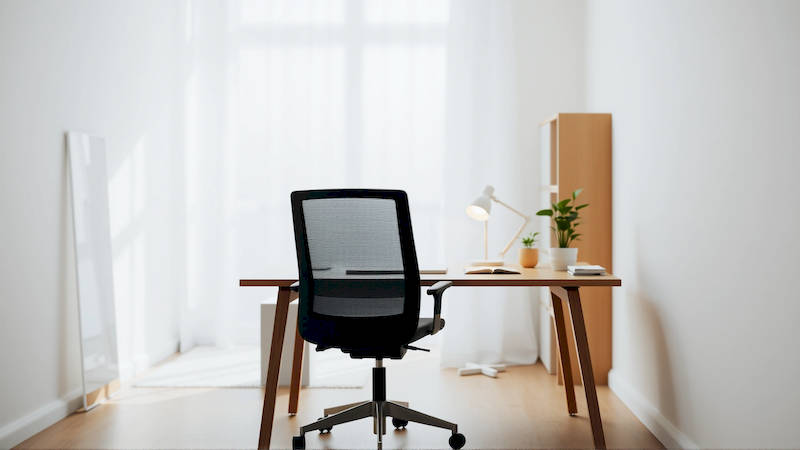
The shift towards remote work has been dramatic. What was once a perk is now commonplace for millions, and for many, has become a permanent fixture of their working lives. However, quickly adapting a spare room or corner of the house into a functional home office often overlooks a critical component: ergonomics. Prolonged periods of working in a poorly designed space can lead to musculoskeletal disorders (MSDs) – conditions affecting muscles, nerves, tendons, ligaments, and joints – contributing to chronic pain, reduced productivity, and diminished overall well-being. The good news is that achieving an ergonomic workspace doesn’t necessitate a hefty investment. With careful planning, resourceful shopping, and a little DIY initiative, you can create a comfortable, supportive, and productive home office that safeguards your health and your wallet. This article will guide you through setting up an ergonomic home office on a budget, covering everything from chair selection to monitor positioning, and offering practical tips to optimize your workspace for long-term comfort and efficiency.
Ignoring ergonomics early on can lead to significant long-term costs, both physical and financial. According to the Occupational Safety and Health Administration (OSHA), MSDs are among the most common causes of lost workday injury. Beyond the immediate discomfort, untreated ergonomic issues can lead to chronic pain conditions requiring medical intervention, physical therapy, and even surgery. Investing in preventative measures now – even low-cost ones – can save you considerable expenses and stress down the line. Furthermore, a comfortable workspace boosts focus, reduces fatigue, and ultimately increases your work output. The perceived expense of ergonomics is often a barrier, but prioritizing good posture and workspace layout translates into a better quality of life and enhanced professional performance.
The Cornerstone: Your Chair – Finding Support Affordably
The chair is arguably the most crucial element of an ergonomic home office. It's where you’ll spend the majority of your workday, and a poorly designed chair can cause significant strain on your back, neck, and shoulders. While high-end ergonomic chairs boast a wealth of adjustable features, they often come with a price tag to match. Fortunately, finding a supportive chair doesn't need to break the bank. Look for used office furniture – often available through online marketplaces like Craigslist or Facebook Marketplace, or from businesses closing or upgrading their offices. Many companies regularly update furniture and sell off perfectly usable chairs at significantly discounted prices.
When evaluating a used or budget-friendly chair, prioritize adjustability. Crucially, look for adjustable height, lumbar support, and armrests. It’s better to find a chair that can be adjusted to fit your body, rather than one claiming to be “ergonomic” but lacking these critical features. Don’t be afraid to consider adding aftermarket lumbar support if the chair's built-in support isn’t sufficient – inexpensive lumbar cushions can make a significant difference. Finally, ensure the seat pan is wide and deep enough to comfortably accommodate your thighs without restricting circulation. Consider a seat cushion if the padding is worn or inadequate. “The key to a good chair isn’t extravagance, but customization,” notes Dr. Alan Hedge, a professor of ergonomics at Cornell University. “A reasonably priced chair that can be properly adjusted to fit the individual is far more effective than an expensive chair that isn’t.”
Beyond sourcing, consider the materials. Mesh-backed chairs are often more breathable, preventing overheating during long workdays. Fabric-covered chairs may be more comfortable, but can absorb more heat. It's a trade-off dependent on your climate and personal preference. Remember to thoroughly clean any used chair before incorporating it into your workspace to ensure hygiene. A little elbow grease can save a lot of money and contribute to a more comfortable work experience.
Optimizing Monitor Positioning for Neck and Eye Health
Improper monitor positioning is a common culprit in neck and eye strain. The goal is to maintain a neutral posture – keeping your head and neck aligned with your spine. This starts with the correct height. The top of your monitor screen should be at or slightly below eye level. This encourages a slight downward gaze, reducing strain on your neck muscles. Many people simply stack books under their monitor to achieve the appropriate height, a remarkably effective and inexpensive solution. Avoid placing your monitor too close or too far away.
Beyond height, consider distance. A general rule of thumb is to position the monitor approximately an arm's length away. This minimizes eye strain and encourages a relaxed posture. If you use multiple monitors, arrange them so your primary monitor is directly in front of you, and secondary monitors are positioned at a slight angle. This minimizes twisting and turning, reducing strain on your neck and upper back. Furthermore, be mindful of glare. Position your monitor away from windows or bright light sources. Invest in an inexpensive anti-glare screen protector if necessary. “Eye strain is a significant contributor to WFH fatigue," explains Optometrist Dr. Emily Carter. "Proper monitor placement and minimizing glare are two of the easiest and most effective ways to combat this."
Finally, ensure your monitor is tilted slightly upward. This further encourages a natural head and neck alignment. Don’t underestimate the power of small adjustments. Regularly reassessing and refining your monitor positioning can prevent discomfort and enhance your overall well-being.
Creating a Supportive Keyboard and Mouse Setup
Your keyboard and mouse are your primary tools for interaction. An improper setup can lead to wrist pain, carpal tunnel syndrome, and other repetitive strain injuries. The key is to maintain a neutral wrist position – keeping your wrists straight and relaxed. Avoid extending your wrists upwards or downwards, or bending them sideways. A wrist rest can provide support and help maintain this neutral position, and many affordable options are available online.
Consider the type of keyboard and mouse you use. Ergonomic keyboards, which feature a split or curved design, can help promote a more natural hand and wrist posture. Vertical mice, which position your hand in a more handshake-like position, can also reduce strain. However, these specialized peripherals can be expensive, and it's not always necessary to invest in them. A simple adjustment to your posture and workspace layout can often make a significant difference. Experiment with different keyboard and mouse positions until you find what feels most comfortable. Ensure your mouse is positioned close to your keyboard to minimize reaching. This reduces strain on your shoulder and arm.
Furthermore, don’t neglect proper desk height. Your elbows should be bent at a 90-degree angle when typing. If your desk is too high, raise your chair. If your desk is too low, consider using a keyboard tray. Repetitive movements are part of the job, but refining your setup can mitigate the risk of long-term injury.
The Power of Standing – Incorporating Movement
Prolonged sitting is detrimental to your health. It's been linked to an increased risk of heart disease, obesity, and type 2 diabetes. Incorporating movement into your workday is crucial. A standing desk is an ideal solution, but fixed height standing desks can be costly. A budget-friendly alternative is to create a makeshift standing workstation using boxes, shelves, or other stable surfaces.
The goal is to alternate between sitting and standing throughout the day. Start small, perhaps with 15-20 minutes of standing per hour, and gradually increase the duration as you become more comfortable. "The best posture is the next posture," emphasizes physical therapist Sarah Miller. "Prolonged static positions, whether sitting or standing, are what cause problems. Regularly changing positions throughout the day is essential." Even without a standing desk, simple movements can make a difference. Take frequent breaks to walk around, stretch, and perform simple exercises.
Consider a balance board or wobble stool to encourage micro-movements while standing, further engaging your core muscles and improving circulation. A simple timer can remind you to switch positions and take breaks, ensuring you stay active and engaged throughout the workday.
Beyond Furniture: Lighting, Space, and Organization
Ergonomics isn’t solely about furniture; it extends to your overall workspace environment. Proper lighting is crucial for reducing eye strain. Maximize natural light whenever possible, and supplement with adjustable task lighting. Avoid harsh overhead lighting, which can create glare and cause eye fatigue. Position your light source to minimize shadows on your work surface. Adequate space is also vital. Ensure you have enough room to move freely and comfortably without feeling cramped.
Decluttering your workspace can significantly reduce stress and improve focus. A clean and organized environment promotes a sense of calm and control. Utilize storage solutions – shelves, drawers, and bins – to keep your desk tidy. Invest in cable management tools to prevent tangled cords. Personalize your workspace with plants or artwork to create a more inviting and inspiring atmosphere, but avoid creating visual clutter. A thoughtfully organized workspace contributes to a more productive and enjoyable work experience.
In conclusion, creating an ergonomic home office on a budget is entirely achievable. It requires a thoughtful approach, prioritizing adjustability, proper posture, and regular movement. Start with the chair, ensuring it provides adequate support and can be customized to fit your body. Optimize your monitor positioning to minimize neck and eye strain. Create a supportive keyboard and mouse setup, and incorporate movement into your workday. Don't underestimate the importance of lighting, space, and organization. Remember to listen to your body, make adjustments as needed, and prioritize your well-being. A comfortable, supportive, and ergonomic home office is an investment in your health, productivity, and overall quality of life. By implementing these strategies, you can create a workspace that empowers you to thrive, both professionally and personally.
Deja una respuesta