
How to Create Custom Smart Home Scenes with Automation Hubs
The allure of a smart home extends far beyond remotely controlling lights or adjusting the thermostat. The true power of home automation lies in creating scenes – pre-configured sets of actions that transform your living space to match your mood, activity, or time of day. These aren’t simply convenient shortcuts; they represent a paradigm shift in how we interact with our homes, moving from reactive control to proactive, intelligent environments. However, unlocking this potential requires understanding how to leverage your automation hub and build scenes that genuinely enhance your lifestyle. This article will provide a comprehensive guide to creating custom smart home scenes, from foundational concepts to advanced techniques, helping you build a truly intuitive and responsive living space.
As the smart home market continues to explode – with Statista projecting the number of connected home devices to reach over 25 billion by 2030 – the sophistication of automation hubs has grown exponentially. Early systems were often limited to basic on/off functionality, but modern hubs offer unparalleled flexibility, allowing for complex conditional logic, integrations with a vast ecosystem of devices, and the granular control needed to craft truly bespoke experiences. The investment in a capable hub isn't just about convenience; it’s about future-proofing your home and creating a living environment that adapts to your needs, promotes energy efficiency, and enhances your well-being.
This guide will navigate you through the essential elements of scene creation, exploring the capabilities of different hubs, offering practical examples, and providing the knowledge you need to transcend simple automation and achieve a truly intelligent home. We’ll move beyond setting a light to dim and delve into the art of crafting immersive, multi-device experiences designed specifically for you.
- Understanding the Anatomy of a Smart Home Scene
- Choosing the Right Automation Hub for Scene Customization
- Building Your First Scenes: Simple Steps to Automation Bliss
- Beyond the Basics: Incorporating Conditional Logic and Sensors
- Troubleshooting and Optimizing Your Smart Home Scenes
- The Future of Smart Home Scenes: AI and Predictive Automation
Understanding the Anatomy of a Smart Home Scene
At its core, a smart home scene is simply a collection of commands sent to multiple devices simultaneously. But effective scenes are more than just a random assortment of actions. They're carefully curated sequences designed to achieve a specific outcome. The foundational element of any scene lies in identifying a clear trigger—the event that initiates the automated sequence. Triggers can be time-based (“Sunrise”), event-based (“Door Opens”), or even sensor-activated (“Motion Detected”). The devices included in the scene and the precise parameter settings (dimming level, color temperature, volume, etc.) dictate the overall experience.
Consider the difference between simply turning on a light versus creating a “Movie Night” scene. The latter might not only dim the lights to 20%, but also close the smart blinds, activate ambient backlighting, and even pause a music playlist. This holistic approach is what separates basic automation from genuinely valuable smart home functionality. When designing a scene, think about the complete sensory experience; consider how lighting, audio, temperature, and even security systems can work together to create the desired atmosphere. A well-considered scene streamlines routine tasks and adds a layer of convenience and comfort that enhances daily life.
Successful scene creation also relies on a thorough understanding of your automation hub’s capabilities. Different hubs, like Hubitat, SmartThings, and Home Assistant, offer varying levels of complexity and customization. Some excel in ease of use, while others provide extensive scripting options for advanced users. Understanding these differences is crucial for maximizing your hub's potential and building scenes that are both effective and reliable.
Choosing the Right Automation Hub for Scene Customization
The capabilities of your automation hub dramatically influence the complexity and sophistication of scenes you can create. Hubitat Elevation, for example, boasts local processing, meaning scenes execute even without an internet connection, enhancing reliability and speed. It’s also known for its detailed rule engine, allowing for intricate conditional logic. Conversely, SmartThings focuses on user-friendliness and seamless integration with Samsung devices, making it a great entry point for beginners. However, relying on cloud processing can introduce latency and potential outages.
Home Assistant, an open-source platform, stands out for its unparalleled customization and integration possibilities. While requiring a steeper learning curve, it offers complete control over your smart home and allows for the implementation of highly complex scenes using YAML scripting. According to a recent survey by Smart Home Solver, 42% of experienced smart home users cited Home Assistant as their preferred hub due to its flexibility and privacy features. The “best” hub ultimately depends on your technical proficiency and needs. A beginner may be best served by SmartThings, whereas someone seeking ultimate control might gravitate towards Home Assistant.
Beyond the core functionality, consider the protocols supported by the hub. Z-Wave, Zigbee, and Wi-Fi are the most common, and ensuring compatibility with your existing and planned devices is vital. Pay attention to whether the hub supports local processing or relies solely on the cloud, and assess the hub’s long-term development roadmap to ensure continued support and feature updates.
Building Your First Scenes: Simple Steps to Automation Bliss
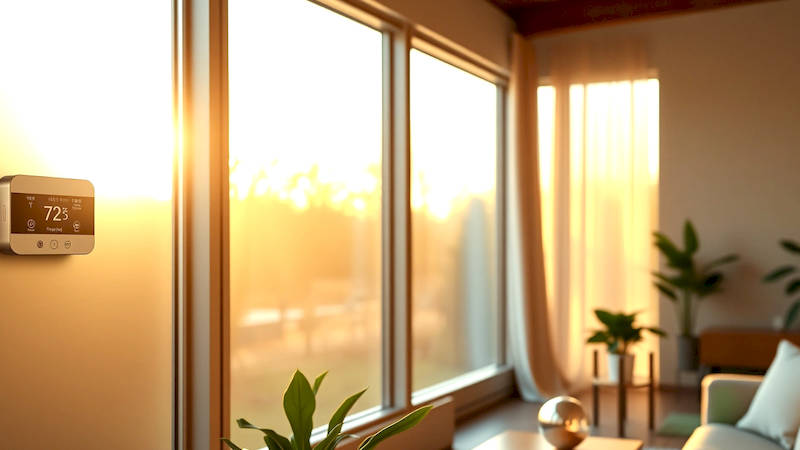
Let’s start with a practical example: creating a "Good Morning" scene. Most automation hubs provide a user-friendly interface for scene creation. The process typically involves: 1) Navigating to the “Scenes” section of your hub’s app. 2) Creating a new scene and giving it a descriptive name (e.g., "Good Morning"). 3) Adding devices to the scene. 4) Configuring the desired action for each device. For our "Good Morning" scene, this might involve increasing the bedroom lights to 50% brightness, raising the thermostat to 72°F, and playing a gentle wake-up playlist on a smart speaker.
Once the devices and actions are defined, you’ll need to set a trigger. A common trigger for this scene would be a time-based event, such as 7:00 AM on weekdays. Most hubs offer options to customize triggers further, such as specifying specific days of the week or creating a recurring schedule. Testing is crucial! After creating the scene, manually activate it to verify that all devices respond as expected. Don’t be afraid to iterate; refine the actions and trigger settings until the scene perfectly matches your desired outcome.
Another quick win is a “Leaving Home” scene. This could turn off all lights, lock the doors, arm the security system, and lower the thermostat – all with a single tap or voice command. Simplicity is key in these initial scenes; focus on automating tasks you perform frequently and identifying areas where automation can genuinely improve your daily routine.
Beyond the Basics: Incorporating Conditional Logic and Sensors
Once you're comfortable with creating basic scenes, it's time to explore more advanced features. Conditional logic takes your automation to the next level by allowing scenes to respond dynamically to changing conditions. For example, you could create a "Sunset" scene that only activates if someone is home. This prevents the lights from turning on unnecessarily when the house is empty. Hubitat excels in this area, offering powerful "Rule Machine" capabilities to define complex conditions.
Sensors are the eyes and ears of your smart home, providing valuable data that can trigger or modify scenes. Motion sensors can activate lights in hallways, while leak sensors can shut off the water supply in case of a plumbing emergency. Consider a "Bathroom Nightlight" scene triggered by motion detected between 10 PM and 6 AM, activating a dim nightlight to guide your way without fully illuminating the room. Temperature and humidity sensors can be incorporated into scenes controlling HVAC systems, optimizing energy efficiency and comfort.
“Geofencing” is another powerful technique, using your smartphone’s location to trigger scenes. A “Back Home” scene could automatically unlock the door, disarm the security system, and adjust the thermostat as you approach your property. However, be mindful of privacy concerns and potential inaccuracies with geofencing; refining the geofence radius is essential to avoid false triggers.
Troubleshooting and Optimizing Your Smart Home Scenes
Even with careful planning, automated scenes can sometimes malfunction. Common issues include device connectivity problems, conflicting rules, and inaccurate sensor readings. The first step in troubleshooting is to check the status of all devices involved in the scene, ensuring they are online and responsive. Review the scene configuration, verifying that the triggers and actions are correctly defined.
Many hubs provide a logging feature that records the execution history of scenes, helping identify the source of errors. If a scene consistently fails to execute, consider simplifying it by removing non-essential devices or actions. Another useful technique is to test each device individually to isolate the problem. Regularly updating the firmware of your hub and devices is also crucial, as updates often include bug fixes and performance improvements.
Optimization goes beyond simply fixing errors; it’s about refining scenes to maximize their effectiveness and efficiency. Analyze how you use your scenes and identify opportunities to improve their performance. For example, you might adjust the dimming level of lights to achieve a more comfortable ambiance or fine-tune the temperature settings to optimize energy savings.
The Future of Smart Home Scenes: AI and Predictive Automation
The future of smart home scenes is inextricably linked to advancements in artificial intelligence (AI) and machine learning. AI-powered hubs will learn your habits and preferences, automatically creating and adjusting scenes to anticipate your needs. Instead of manually creating a “Movie Night” scene, the hub might intelligently dim the lights and lower the blinds based on your viewing history and the time of day.
Predictive automation takes this concept even further, anticipating events before they happen. For instance, a smart thermostat could preheat your home based on weather forecasts and your typical morning routine. According to a report by McKinsey, AI-powered smart home systems could reduce energy consumption by up to 20% by optimizing HVAC and lighting controls. This shift towards proactive, intelligent automation promises to transform our homes into truly responsive and personalized living spaces, seamlessly adapting and catering to our every need.
In conclusion, mastering smart home scenes is a journey that ranges from simple convenience to sophisticated personalization. By understanding the anatomy of a scene, choosing the right automation hub, and utilizing conditional logic and sensors, you can build a smart home that genuinely enhances your lifestyle. Remember to start small, test thoroughly, and continually refine your scenes to optimize their performance. As AI and machine learning become more integrated into smart home technology, the possibilities for customization and automation will only continue to expand, ushering in a new era of intelligent living. Don't hesitate to experiment and explore – the key to unlocking the true potential of your smart home lies in embracing its flexibility and tailoring it to your unique needs and preferences.
Deja una respuesta