
Optimizing Your Home Office for Efficient Paper and Digital Document Management
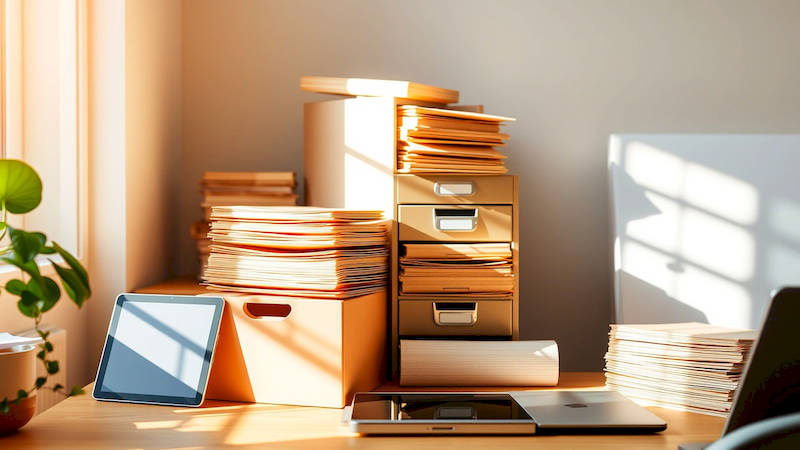
The modern home office is often a hub of activity, blending work, personal life, and a constant influx of information. This blending, while offering flexibility, can quickly lead to chaos if not properly managed. A significant part of maintaining that control lies in efficient document management – both physical paper and the ever-growing digital landscape. Disorganized documents contribute to lost time, increased stress, missed deadlines, and even potential financial loss. According to a study by PwC, employees spend an average of 9.3 hours a week searching for information, a statistic that underscores the critical need for a robust organization system.
The sheer volume of documents we encounter daily, from bills and statements to client files and project briefs, necessitates a thoughtful approach. Simply piling papers or letting digital files accumulate on your desktop isn’t a sustainable solution. An optimized home office document management system isn’t just about neatness; it’s about increasing productivity, enhancing security, and ultimately, reclaiming your time and mental space. This article will provide a detailed, actionable guide to transforming your home office into a beacon of organizational efficiency, covering both paper and digital document strategies.
- Defining Your Document Management Needs and Workflow
- Establishing a Physical Paper Management System
- Building a Robust Digital Document Management System
- Scanning and Digitizing Existing Paper Documents
- Implementing a Document Retention and Archiving Policy
- Leveraging Document Management Software and Tools
- Maintaining and Refining Your System
Defining Your Document Management Needs and Workflow
Before diving into specific tools and techniques, it's crucial to analyze your unique document management needs. What types of documents do you handle most frequently? Are you dealing with sensitive client information requiring heightened security? What’s your retention schedule – how long do you need to keep certain documents for legal or business reasons? Understanding these aspects forms the foundation of your system. A one-size-fits-all approach rarely succeeds; tailor your strategy to your individual workflow.
Think about how documents move through your office. From arrival (mail, email, scanned copies), to processing (filing, acting upon), to storage (long-term archive), map out each stage. Identify pain points – where do things get stuck? Are papers routinely lost in stacks? Are digital files buried in countless folders? Documenting this current process, even in a simple flowchart, will reveal areas ripe for improvement. This initial assessment will guide your choices regarding both physical and digital systems.
Consider also your personal work style. Are you a visual person who prefers color-coding and clearly labeled physical folders? Or are you more comfortable with a minimalist, digital-first approach? There's no right or wrong answer, but aligning your system with your preferences will significantly increase your likelihood of sticking with it. As David Allen, author of Getting Things Done, emphasizes, a system that doesn’t fit your personality won’t be maintained.
Establishing a Physical Paper Management System
Despite the increasing shift towards digital, paper still plays a role for many. Your physical paper system should begin with a dedicated "inbox" – a physical tray or container for all incoming documents. This prevents papers from scattering across your desk and establishes a central point for processing. Process this inbox daily, dedicating a specific time slot to sort, file, or discard incoming items.
Next, implement a clear filing system. This can be alphabetical, chronological, or categorized by project or client. Color-coded folders can add another layer of visual organization. Crucially, label folders clearly and consistently. Avoid vague labels like "Miscellaneous"; instead, be specific: "Client – Smith, Project Alpha – Contracts." Consider using hanging file folders within a file cabinet for greater capacity and durability. A case study of small law firms demonstrated that a well-maintained physical filing system reduced document retrieval time by an average of 30%.
Finally, don't be afraid to purge regularly. Ruthlessly discard documents you no longer need, adhering to legal and business retention policies. For documents you must retain but rarely access, consider offsite storage – a secure storage facility can free up valuable space in your home office. Shredding confidential documents is essential to protect your privacy.
Building a Robust Digital Document Management System
A well-structured digital document management system is paramount in today's environment. Begin by establishing a consistent file naming convention. This is arguably the most important aspect of digital organization. Include key information in the file name: date (YYYYMMDD), client/project name, document type, and a brief description. For example: “20240126_AcmeCorp_Proposal_FinalDraft.pdf”. Consistency is key – stick to your chosen convention rigorously.
Folder structure is equally important. Mirror your physical filing system whenever possible for consistency. Start with broad categories (e.g., "Clients," "Projects," "Finance") and then create subfolders within those categories. Limit folder depth to avoid getting lost in a maze of clicks. Cloud storage solutions like Google Drive, Dropbox, and OneDrive are excellent for accessibility and backups. However, choose a provider with robust security features, especially if you handle sensitive data.
Furthermore, leverage the power of Optical Character Recognition (OCR) technology. OCR converts scanned documents and images into searchable text, making it much easier to locate specific information. Most modern scanners include OCR functionality, and many cloud storage services offer it as well. This feature transforms static images into dynamic, searchable assets.
Scanning and Digitizing Existing Paper Documents
Converting existing paper documents into a digital format is a substantial undertaking, but it's a crucial step towards a paperless office. Invest in a good quality scanner – a dedicated document scanner is more efficient than using a multi-function printer. Scan documents in batches to save time, and use the OCR feature to make them searchable. Consider outsourcing this task if you have a large backlog of documents.
As you scan, consistently apply your chosen file naming convention. Don’t just scan and dump files into a chaotic folder. Take the time to accurately name and categorize each document as you digitize it. Immediately shred the original paper document after verifying the scan’s quality. This not only reduces clutter but also eliminates the risk of having duplicate copies. Local document scanning services can provide cost-effective solutions for large-scale digitization projects.
Remember to consider file formats. PDF is generally the preferred format for documents as it preserves formatting and is widely compatible. However, for editable documents, choose a format like Microsoft Word (.docx). Regularly back up your digital files to an external hard drive or a separate cloud storage account to protect against data loss.
Implementing a Document Retention and Archiving Policy
A critical, often overlooked, aspect of document management is establishing a clear retention policy. This outlines how long you need to keep different types of documents based on legal requirements, industry regulations, and business needs. For example, tax records typically need to be retained for seven years, while legal contracts may need to be kept indefinitely.
Create a schedule outlining retention periods for each document type. This schedule should be regularly reviewed and updated to reflect changes in regulations. Once a document reaches the end of its retention period, securely destroy it – either physically shredding paper documents or securely deleting digital files. Consider using a document management software system with automated retention features.
Archiving refers to storing documents you no longer actively use but need to retain for compliance purposes. Archived documents should be stored separately from active files, and access should be restricted to authorized personnel. Cloud-based archiving solutions offer a cost-effective and secure way to store large volumes of historical data.
Leveraging Document Management Software and Tools
Numerous software solutions can streamline your document management process. Options range from basic file management tools to sophisticated enterprise-level systems. For individuals and small businesses, tools like Evernote, OneNote, and Adobe Acrobat DC offer excellent features for organizing, searching, and editing documents. These applications often include OCR capabilities and integration with cloud storage services.
More advanced document management systems (DMS) offer features like version control, workflow automation, and security features like access controls and audit trails. Examples include M-Files, DocuWare, and Laserfiche. Consider your specific needs and budget when choosing a DMS. A free trial is almost always available to test before committing.
Utilizing these tools alongside your established organizational systems can drastically reduce time spent searching for information and improve overall efficiency. Integration with other business applications, such as CRM or accounting software, can further streamline workflows and automate tasks.
Maintaining and Refining Your System
Document management is not a one-time project; it’s an ongoing process. Regularly review and refine your system to ensure it continues to meet your evolving needs. Schedule a monthly or quarterly “document audit” to identify areas for improvement. Are you consistently adhering to your naming convention? Are folders becoming overcrowded? Are you effectively utilizing the features of your chosen software?
Seek feedback from colleagues or family members who use the system. What challenges are they facing? What suggestions do they have for improvement? Embrace continuous improvement – constantly look for ways to streamline your processes and enhance efficiency. As Peter Drucker famously said, “Until we can manage time, we can manage nothing else.” Effective document management is a key component of effective time management.
In conclusion, optimizing your home office for efficient paper and digital document management is an investment in your productivity, peace of mind, and long-term success. By carefully defining your needs, implementing a structured filing system (both physical and digital), leveraging technology, establishing a retention policy, and consistently refining your processes, you can transform your office from a chaotic mess into a well-organized, efficient workspace. The key takeaways are consistency in naming conventions, regular purging, embracing digital tools, and treating document management as an ongoing process, adapting it to changing needs and technologies. Starting with even small improvements can yield significant benefits, reclaiming your time and allowing you to focus on what matters most.
Deja una respuesta