
Step-by-Step Guide to Installing Smart Light Bulbs in Every Room
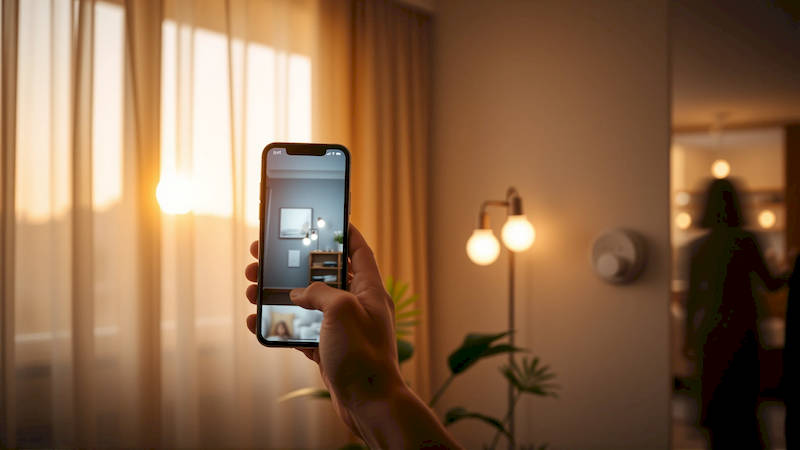
The allure of a smart home is no longer a futuristic fantasy; it’s a readily achievable reality, and one of the easiest and most impactful entry points is smart lighting. Beyond simply controlling lights remotely, smart lighting systems offer significant benefits – from energy savings and enhanced security to improved ambiance and increased convenience. But the prospect of converting an entire house to smart bulbs can seem daunting. This guide will walk you through a comprehensive, step-by-step process, equipping you with the knowledge and confidence to install smart light bulbs in every room, maximizing the potential of this transformative technology. A recent study by Statista showed a 28% increase in smart lighting adoption in the US alone during 2023, demonstrating its growing popularity and affordability.
Smart lighting isn’t just about convenience; it’s an investment in comfort, security, and efficiency. Imagine waking up to gradually brightening lights mimicking a sunrise, or having your lights automatically turn on when you arrive home at night. These features, combined with the ability to monitor and control usage remotely, can contribute to substantial energy savings and peace of mind. While the initial setup may require a bit of effort, the long-term benefits far outweigh the initial investment, especially considering the decreasing cost of smart bulbs and the increasing compatibility across different platforms. Before diving in, understanding the different types of smart bulbs and ecosystems is crucial for a hassle-free experience.
- Understanding Smart Lighting Technologies & Ecosystems
- Preparing for Installation: Tools and Assessment
- Step-by-Step Bulb Installation: A Room-by-Room Approach
- Setting Up Scenes and Automation
- Troubleshooting Common Issues
- Optimizing for Energy Efficiency and Security
- Conclusion: Embracing the Future of Lighting
Understanding Smart Lighting Technologies & Ecosystems
The first step in your smart lighting journey is understanding the types of bulbs and the ecosystems they play within. There are primarily three types of smart bulbs: Wi-Fi, Bluetooth, and Zigbee/Z-Wave. Wi-Fi bulbs connect directly to your existing home network, making setup relatively straightforward. However, they can sometimes strain your Wi-Fi router if you have numerous devices. Bluetooth bulbs connect directly to your smartphone or hub within a limited range, suitable for single-room solutions. Zigbee and Z-Wave bulbs require a hub – like a SmartThings hub or an Amazon Echo with a built-in hub – to function, but they offer a more robust and energy-efficient mesh network, ideal for whole-home coverage.
Choosing an ecosystem – whether it's Amazon Alexa, Google Home, Apple HomeKit, or Samsung SmartThings – is equally important. This decision will largely dictate which bulbs you’ll choose, as compatibility can be restrictive. For example, Apple HomeKit is known for its strong security features, but it has a more limited selection of compatible bulbs compared to Alexa or Google Home. Consider existing smart devices you own and future integration plans when making this choice. Using a mixed ecosystem can be possible, but often introduces complexity and potential compatibility issues.
Finally, don't overlook bulb specifications like brightness (lumens) and color temperature (Kelvin). Lumens determine how bright the bulb is, while Kelvin indicates the color – warmer tones (2700K) are ideal for bedrooms, while cooler tones (5000K) are better suited for kitchens and offices.
Preparing for Installation: Tools and Assessment
Before you start physically installing the bulbs, a little preparation can save you a lot of headaches. First, take a comprehensive inventory of all the light fixtures in your home. Note the type of bulb each fixture requires (E26, BR30, GU10, etc.) – this information is usually printed on the existing bulb or fixture itself. It’s also wise to assess your Wi-Fi signal strength throughout your home, especially in areas where you plan to install Wi-Fi-based smart bulbs. Weak signals can lead to connectivity issues.
Gather the necessary tools: a stepladder, a screwdriver (if needed for fixture access), a smartphone or tablet to control the bulbs, and of course, the smart bulbs themselves. Having a dedicated space to organize the new bulbs and packaging is also helpful. More importantly, download and set up the relevant app for your chosen ecosystem (Alexa, Google Home, Apple HomeKit) and create an account if you don’t already have one. Most apps will guide you through the bulb pairing process, but pre-configuration can streamline the installation.
Furthermore, consider functionality needs room-by-room. Will you want dimming capabilities in the living room? Color changing options for a home theatre? Automated schedules for outdoor lighting? Mapping these needs to specific features will help you choose the right bulbs for each location.
Step-by-Step Bulb Installation: A Room-by-Room Approach
Now for the hands-on part! Begin with a single room to get comfortable with the process before tackling the entire house. First, ensure the light switch controlling the fixture is turned OFF. Remove the existing bulb carefully, and then screw in the smart bulb. Most smart bulbs are physically identical to traditional bulbs, making this a straightforward replacement. Next, power on the light switch.
Open the app associated with your chosen ecosystem and follow the on-screen instructions to connect the bulb. This typically involves putting the bulb into pairing mode (often by cycling the light switch on and off a specific number of times) and then allowing the app to discover the bulb. Once discovered, you'll be prompted to name the bulb and assign it to a room. Repeat this process for each bulb in the room.
A critical tip: create descriptive names for your bulbs (e.g., "Living Room Floor Lamp," "Kitchen Island Lights") to make voice control and automation easier. For example, instead of saying "Turn on light," you can say "Turn on Living Room Floor Lamp."
Setting Up Scenes and Automation
Once you've installed the bulbs, the real magic begins with scenes and automation. Scenes allow you to control multiple bulbs simultaneously with a single command. For example, a "Movie Night" scene could dim the living room lights to 20% and set them to a warm color temperature. You can create scenes within your chosen ecosystem’s app – the process is generally intuitive.
Automation takes it a step further by triggering scenes or controlling bulbs based on specific conditions. For instance, you can set up an automation to turn on the porch light at sunset and turn it off at sunrise. Or, you can create an automation to turn off all the lights when you leave home, utilizing geofencing (location-based triggers). Explore the features of your chosen ecosystem to uncover the full range of automation possibilities. A good starting point is setting up scheduled routines for everyday tasks like waking up and going to bed. Experts also recommend considering third-party integrations with platforms like IFTTT (If This Then That) for even more advanced automation options.
Troubleshooting Common Issues
Despite a generally smooth installation process, you may encounter some common issues. Connectivity problems are the most frequent culprit. Ensure your Wi-Fi signal is strong enough, and consider moving the bulb closer to the router or adding a Wi-Fi extender. If you’re using Zigbee or Z-Wave bulbs, make sure your hub is within range. Another common issue is bulb responsiveness. If a bulb isn't responding to commands, try resetting it by cycling the light switch on and off several times.
Sometimes, compatibility issues can arise. Especially when using multiple ecosystems. Restarting your smart hub and your bulbs can often resolve these conflicts. Finally, software glitches can occur. Ensure your ecosystem's app and the bulb's firmware are up to date. Most apps provide a way to check for updates automatically. If you are still facing challenges, consult the manufacturer's website for troubleshooting guides and FAQs or reach out to their customer support team.
Optimizing for Energy Efficiency and Security
Smart lighting isn’t just about convenience and aesthetic appeal; it's also a powerful tool for energy conservation. Utilize the scheduling features to ensure lights are only on when needed. Many smart bulbs also offer energy monitoring capabilities, allowing you to track your consumption and identify areas for improvement. Dimming lights not only creates ambiance but also significantly reduces energy usage.
Security is another critical consideration. Change the default password for your smart hub and ecosystem account to a strong, unique password. Enable two-factor authentication for added protection. Be mindful of the permissions granted to third-party apps and integrations. Regularly check for firmware updates, as these often include security patches. A recent report from Consumer Reports highlighted the importance of security measures for smart home devices, emphasizing the potential risk of unauthorized access.
Conclusion: Embracing the Future of Lighting
Installing smart light bulbs in every room of your home is a rewarding project that unlocks a world of convenience, efficiency, and customization. By understanding the different technologies, preparing thoroughly, and following a methodical installation process, you can seamlessly transform your home into a smarter, more responsive living space. Embrace the power of scenes and automation to create the perfect atmosphere for any occasion. Remember to prioritize energy efficiency and security to maximize the benefits of your investment.
The key takeaways are: careful planning, choosing the right ecosystem for your needs, and a willingness to experiment with the features available. Don’t be afraid to start small, learn as you go, and gradually expand your smart lighting setup. Start with the areas you use most often, and then expand as you become more comfortable with the technology. With a little effort, you can create a truly smart and personalized lighting experience that elevates your home and simplifies your life.
Deja una respuesta