
How to Sync Smart Lights with Music and Entertainment Systems
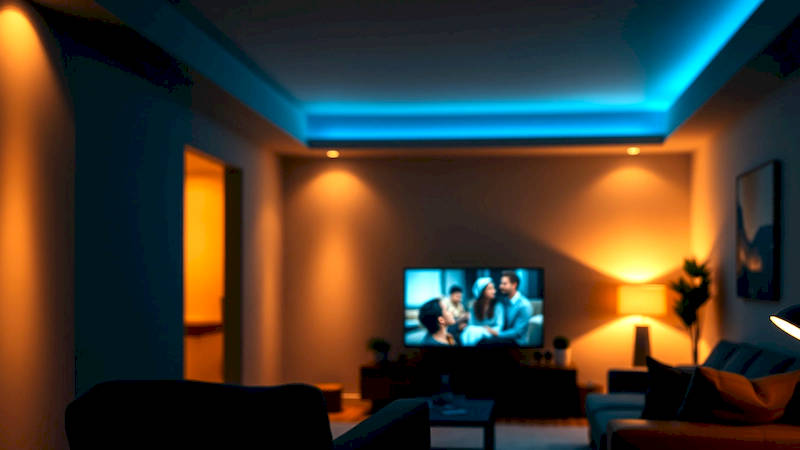
The allure of a truly immersive entertainment experience extends far beyond exceptional audio and visual quality. Increasingly, homeowners are discovering the transformative power of synchronized lighting, capable of elevating movie nights, parties, and even casual listening sessions to new heights. Integrating smart lights with music and entertainment systems isn't merely about adding color; it's about creating an atmosphere that responds and reacts to the content being enjoyed, building a more emotionally resonant and captivating environment. This capability, once limited to professional installations, is now accessible to anyone with a smart home setup and a desire to unlock its full potential.
The rise of affordable and user-friendly smart lighting solutions, combined with advancements in audio processing and connectivity, has fueled this trend. What began as simple color changes to the beat of music has evolved into sophisticated systems capable of analyzing audio frequencies, recognizing genre, and dynamically adjusting lighting schemes for optimal impact. This article delves deep into the methods, technologies, and nuances of syncing smart lights with your music and entertainment systems, providing a comprehensive guide for both beginners and experienced smart home enthusiasts. We’ll explore compatibility, setup, troubleshooting, and advanced customization options to help you craft the perfect sensory experience.
- Understanding the Core Technologies: How Synchronization Works
- Choosing Compatible Hardware: Lights, Hubs, and Systems
- Setting Up Basic Music Synchronization: Step-by-Step Guides
- Advanced Customization: Tailoring the Experience
- Troubleshooting Common Issues: Lag, Disconnections, and Inaccuracies
- Beyond Music: Syncing with Video and Gaming
- Conclusion: Crafting Your Personalized Lighting Symphony
Understanding the Core Technologies: How Synchronization Works
The magic behind synced smart lights lies in a combination of several core technologies. The foundation is, of course, the smart light itself, typically utilizing protocols like Wi-Fi, Bluetooth, or Zigbee to communicate. More importantly is the ability for the lights to receive instructions - and this is where the software component comes into play. Most synchronization relies on an intermediary layer, which can be built into your smart speaker (like an Amazon Echo or Google Home), a dedicated hub (like Philips Hue Bridge), or directly within a music streaming service or entertainment app. These systems analyze the audio signal and translate it into commands for the lights.
The process typically involves Frequency Analysis. The system breaks down the audio into its constituent frequencies (bass, mid-range, treble). Different frequencies are then mapped to different lighting actions - for instance, bass frequencies might trigger pulses or brighter flashes, while higher frequencies might affect color changes or subtle shifts in brightness. Time-domain analysis is equally essential; it examines the timing of sounds, leading to rhythm-based lighting effects that align precisely with the music's beat. Some advanced systems even leverage AI-powered audio recognition to identify the genre of music and automatically select pre-programmed lighting scenes optimized for that style. This removes the guesswork and ensures a tailored experience.
Finally, the speed and reliability of the communication protocol are paramount. Lag between the audio and the lighting can ruin the illusion of synchronization. Wi-Fi, while convenient, can be susceptible to interference. Zigbee and Bluetooth, especially with dedicated hubs, often provide a more stable and responsive connection.
Choosing Compatible Hardware: Lights, Hubs, and Systems
Before diving into the setup process, ensuring compatibility between your chosen hardware is essential. Not all smart lights and entertainment systems play nicely together. While many popular systems offer native integrations, others may require workarounds or third-party applications. Philips Hue remains a dominant player in the smart lighting space, boasting broad compatibility and a robust ecosystem. Their lights seamlessly integrate with Hue Sync, a dedicated software and hardware box for syncing with PC gaming and video content, and also work through integrations with platforms like Spotify and Samsung SmartThings.
However, you're not limited to Philips Hue. Nanoleaf panels, with their unique modular design, are particularly well-suited for dynamic lighting effects and offer direct integration with many popular music services and streaming platforms. Govee, a rapidly growing brand, offers a more affordable range of smart lights, many of which include native music sync features. When selecting lights, consider factors like color accuracy, brightness, and the type of connection (Wi-Fi, Bluetooth, Zigbee). If you’re opting for a Zigbee-based system, ensure you have a compatible hub. The Amazon Echo (4th Gen) and Google Nest Hub Max both incorporate Zigbee hubs, expanding their functionality.
Beyond the lights themselves, consider the ecosystem you’re already invested in. If you’re a heavy Spotify user, choosing lights that integrate directly with Spotify streamlines the process. For more complex setups involving home theater systems, a universal remote with smart lighting control capabilities (like a Logitech Harmony) can provide centralized management.
Setting Up Basic Music Synchronization: Step-by-Step Guides
The setup process will vary depending on the chosen hardware and software. However, many systems follow a similar pattern. Let's explore the common steps using Philips Hue and Spotify as an example, then briefly touch on Govee’s simplified approach.
Philips Hue & Spotify: First, ensure your Hue lights are connected to the Hue Bridge and accessible through the Hue app. Next, open the Spotify app and navigate to 'Settings' > 'Connected Apps'. Find 'Philips Hue' and connect your Spotify account. Once linked, you’ll see a “Connect” button within the Hue app. Follow the on-screen prompts to authorize Spotify access. After connecting, open the Hue app and select the scene "Music." Spotify will now sync the song you are playing with a dynamic lighting show. You can customize the intensity and colors within the Hue app settings to add a personal touch.
Govee's Simplified Approach: Govee lights often feature a dedicated "Music Mode" directly within their companion app. Simply open the Govee Home app and select the light you want to control. In the device settings, enable "Music Mode." The lights will then automatically react to any music playing nearby, using the built-in microphone to analyze the audio. Govee offers customizable presets.
These are starting points. Check the specific documentation for your chosen system for the most accurate and detailed instructions. Many systems offer tutorials and troubleshooting guides within their respective apps.
Advanced Customization: Tailoring the Experience
Basic music synchronization is a great starting point, but the real fun lies in customization. Most platforms offer granular control over the lighting effects. Within the Philips Hue Sync app, for example, you can adjust the intensity of the lights, the color palette, and the speed of the reactions. You can also define which lights respond to which frequencies, allowing for a more nuanced and tailored experience.
Consider layering effects. Instead of a single, static response to the music, experiment with combinations of pulses, fades, and color shifts. For example, you might have the lights gently pulse with the beat of the music while simultaneously shifting colors based on the overall energy and mood of the song. Some systems let you create custom scenes that are activated based on specific songs or genres. This allows for a truly personalized experience, where your lighting automatically adjusts to your musical preferences.
Advanced users can even explore third-party software like Lightform, which projects animated light effects onto surfaces, adding another dimension to the synchronization. Integration with IFTTT (If This Then That) allows for even more bespoke rules and automation, triggering lighting changes based on various events and conditions.
Troubleshooting Common Issues: Lag, Disconnections, and Inaccuracies
Synchronization isn’t always flawless. Several common issues can disrupt the experience. Lag is a frequent complaint, often stemming from network congestion or slow processing speeds. Ensure your Wi-Fi network is stable and that your smart hub isn't overloaded. Try moving closer to the hub or switching to a different Wi-Fi channel. Disconnections can be caused by interference or outdated firmware. Update the firmware of both your lights and hub. Inaccuracies in the synchronization—lights reacting incorrectly to the music—can be addressed by recalibrating the system or adjusting the sensitivity settings.
Another common problem is inconsistent response. In these cases, ensure the microphone (if used for music detection) isn’t obstructed and that there aren’t competing sound sources. If using a direct connection (e.g. Hue Sync Box), verifying the cable and port connections is crucial. Finally, remember that some music tracks are poorly mastered or have unusual dynamic ranges, which can make accurate synchronization challenging.
Beyond Music: Syncing with Video and Gaming
The possibilities extend beyond music alone. Syncing smart lights with video content can dramatically enhance the viewing experience, creating a more immersive and engaging atmosphere. Philips Hue Sync, for example, is specifically designed for this purpose, analyzing the colors on the screen and extending them onto your surrounding walls and surfaces.
Gaming also benefits significantly from synchronized lighting. Dynamic lighting effects can react to in-game events, providing visual feedback and intensifying the sense of immersion. Many game developers are now incorporating native smart lighting integration into their titles, allowing for seamless synchronization. Platforms like Razer Chroma Connect enable integration with a variety of smart lighting systems. Whether you're exploring a fantastical world or engaging in a heart-pounding battle, synchronized lighting can take your gaming experience to the next level.
Conclusion: Crafting Your Personalized Lighting Symphony
Syncing smart lights with your music and entertainment systems is more than just a tech gimmick; it's a powerful tool for creating immersive, emotionally resonant experiences. By understanding the underlying technologies, choosing compatible hardware, and mastering the customization options, you can transform your home into a dynamic and captivating environment. Remember to prioritize network stability, regularly update your system's firmware, and don’t be afraid to experiment with different settings and effects.
The key takeaways are: Compatibility matters; granularity of control enhances the experience; Troubleshooting is often required; and Implementation extends to video and gaming. The potential is limited only by your imagination. Start with a basic setup, gradually refine your customizations, and unlock the full potential of synchronized lighting to elevate your home entertainment to new heights. Take the next step – explore your options, research different systems, and begin crafting your personalized lighting symphony today.
Deja una respuesta