
How to Use Home Automation Hubs to Manage Smart Blinds and Curtains
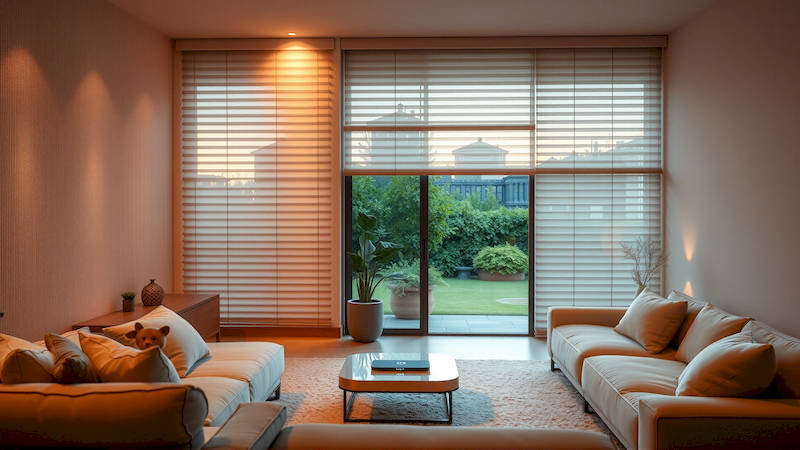
The dream of a truly smart home extends beyond voice-activated assistants and intelligent lighting. Increasingly, homeowners are turning to automated window treatments – smart blinds and curtains – to enhance convenience, security, and energy efficiency. But these devices rarely operate in isolation. The real power lies in integrating them into a central home automation ecosystem, managed through a dedicated hub or controller. This article will provide a comprehensive guide to leveraging home automation hubs for seamless control of your smart blinds and curtains, exploring the benefits, compatibility considerations, setup processes, and advanced features available. We'll delve into the specifics of how to make your window treatments an intelligent part of your connected home, moving beyond simple remote operation to truly automated functionality.
The integration of smart blinds and curtains isn’t simply about remote control. It's about creating scenarios that react to your lifestyle and environment. Imagine your blinds automatically closing to reduce glare during peak sunlight hours, or opening at sunrise to gently awaken you. Think of the security benefits of simulating occupancy while you’re away, or the energy savings gained by automatically adjusting blinds based on temperature. The potential is vast, but achieving it relies on a carefully chosen and correctly configured home automation hub. This increases the value offered by your blinds and curtains and unlocks true smart home potential.
This article aims to demystify the process, providing a detailed, actionable guide for both newcomers and seasoned smart home enthusiasts. We’ll cover everything from choosing the right hub to troubleshooting common issues, ensuring you can unlock the full potential of your automated window coverings and create a more comfortable, secure, and energy-efficient living space. Whether you’re considering your first smart blinds or looking to integrate existing ones into a more holistic system, this guide will equip you with the knowledge you need to succeed.
- Choosing the Right Home Automation Hub for Blind & Curtain Control
- Compatibility: Not All Smart Blinds Play Nice
- Setting Up Your Smart Blinds & Curtains with the Hub
- Creating Automated Schedules & Scenes
- Advanced Automations: Integrating with Other Smart Home Devices
- Troubleshooting Common Issues
- Conclusion: Elevating Your Home with Automated Window Treatments
Choosing the Right Home Automation Hub for Blind & Curtain Control
The foundation of any smart blind and curtain automation system is the hub itself. Several prominent players dominate the market, each with its strengths and weaknesses. Popular choices include SmartThings, Hubitat Elevation, Home Assistant (running on a Raspberry Pi or dedicated server), and even dedicated solutions like Lutron Caséta (though Caséta is more of a closed ecosystem). The best hub for you depends heavily on your existing smart home ecosystem, technical expertise, desired level of customization, and budget. For example, if you’re heavily invested in the Apple HomeKit ecosystem, an Apple HomePod or Apple TV can act as a hub, but compatibility will be limited to HomeKit-compatible blinds and curtains.
Consider the wireless protocols the hub supports. Z-Wave, Zigbee, and Wi-Fi are the most common. Z-Wave and Zigbee are mesh networks with lower power consumption, ideal for battery-powered devices, and generally more reliable than Wi-Fi. Wi-Fi is simple to set up, leveraging your existing network, but can suffer from congestion and security vulnerabilities if not properly secured. Many hubs support multiple protocols, providing maximum flexibility. A survey of smart home adoption in 2023 by Statista showed that approximately 35% of users chose a hub based on protocol compatibility, highlighting its importance. Ultimately, researching each hub's compatibility list with your specific blind and curtain models is crucial before making a purchase.
Furthermore, assess the hub's processing power and storage capacity. A more powerful hub can handle a larger number of devices and more complex automations without performance issues. Cloud dependency is another critical factor; some hubs rely heavily on cloud processing, which can lead to latency and privacy concerns, while others offer local control, ensuring continued functionality even without an internet connection. Hubitat, for example, is known for its strong emphasis on local processing.
Compatibility: Not All Smart Blinds Play Nice
Just because a blind or curtain is labeled “smart” doesn’t guarantee it will work seamlessly with your chosen hub. Compatibility is a complex issue. Many smart blinds and curtains utilize proprietary protocols or rely on specific ecosystems. Therefore, verifying compatibility before purchasing is paramount. Look for certifications like “Works with SmartThings,” “Works with Alexa,” or “Apple HomeKit Enabled” to ensure integration. However, these certifications aren't always foolproof; reading user reviews and checking the hub manufacturer’s compatibility list is essential.
Generally, blinds and curtains that operate on Z-Wave or Zigbee have the widest compatibility as these are open standards widely supported by most hubs. Wi-Fi-based blinds and curtains are generally compatible with hubs that support Wi-Fi devices, but the integration may be less robust or require third-party integrations. Some manufacturers, like Lutron, operate within a closed ecosystem, which guarantees compatibility within their system but may limit integration with other brands. "According to a recent consumer report, 23% of smart home device failures are attributed to compatibility issues between devices and the central hub," warns tech analyst, Ben Thompson.
If you're encountering compatibility problems, explore the possibility of using third-party integrations like IFTTT (If This Then That) or Node-RED. These platforms can act as a bridge between incompatible devices, but they often introduce additional complexity and latency. Regularly checking the hubs and device manufacturers' websites for updated compatibility lists and firmware updates is also a recommended practice.
Setting Up Your Smart Blinds & Curtains with the Hub
Once you’ve chosen a compatible hub and smart blinds/curtains, the setup process begins. This typically involves putting the hub into pairing mode, then initiating the pairing process on the blind or curtain itself (often by holding a button or following specific instructions in the device’s manual). The hub will then scan for and recognize the device, adding it to your network. Most modern hubs offer a user-friendly mobile app that guides you through the setup process step-by-step.
After pairing, you’ll need to assign a meaningful name and location to each blind or curtain within the hub’s interface. This is essential for creating logical automations and voice commands. For example, instead of naming a blind “Device 1,” name it “Living Room Window Blind.” Then, you can assign the blind to a “Living Room” room within the hub’s app. Some hubs may also allow you to configure the range of motion for each blind or curtain, preventing it from fully closing and potentially damaging itself.
Finally, it’s crucial to update the firmware on both the hub and the blinds/curtains. Firmware updates often include bug fixes, security enhancements, and new features. Refer to the manufacturer’s website for instructions on how to perform these updates.
Creating Automated Schedules & Scenes
The true power of a smart home automation hub lies in its ability to create automated schedules and scenes. Schedules allow you to set specific times for your blinds and curtains to open or close. For example, you can schedule your bedroom blinds to open gradually at sunrise on weekdays to provide a natural wake-up call. Scenes, on the other hand, allow you to group multiple devices and actions together.
A "Movie Night" scene, for example, might close all the blinds in the living room, dim the lights, and turn on your TV. You can trigger these scenes manually through the hub’s app or via voice commands. Most leading hubs support voice control through Amazon Alexa, Google Assistant, and Apple Siri. Creating these schedules and scenes can dramatically improve convenience and comfort. A study conducted by the National Renewable Energy Laboratory showed that smart shading systems, when properly scheduled, can reduce energy consumption for heating and cooling by up to 20%.
Furthermore, you can create more complex automations based on sensor data. For instance, you could set your blinds to automatically close when the temperature outside exceeds a certain threshold to reduce heat gain, or to open when the light level drops below a certain point to maximize natural light.
Advanced Automations: Integrating with Other Smart Home Devices
Beyond basic scheduling and scene creation, home automation hubs enable more sophisticated integrations with other smart home devices. Imagine your smart blinds automatically closing when your security system is armed in "Away" mode, enhancing privacy and security. Or, consider your blinds adjusting in response to changes in the weather forecast. For example, if rain is predicted, your blinds could close to protect your furniture from water damage.
Another powerful integration is with smart thermostats. You can program your blinds to adjust their position based on the room temperature, helping to regulate the climate and reduce energy consumption. For instance, in the winter, your blinds could open during the day to allow sunlight to warm the room, and then close at night to retain heat. IFTTT and Node-RED, as mentioned previously, are invaluable tools for creating these complex integrations, allowing you to connect devices and services that aren't natively compatible. This level of integration transforms your home into a truly responsive and intelligent environment.
Troubleshooting Common Issues
Despite careful planning, you may encounter issues with your smart blinds and curtain automation system. Common problems include connectivity issues, unresponsive devices, and inaccurate scheduling. Before resorting to more drastic measures, try simple troubleshooting steps such as restarting the hub and the blinds/curtains themselves. Ensure the devices are within range of the hub and that there are no physical obstructions interfering with the signal.
If the devices are still unresponsive, check the hub’s logs for error messages. These logs can provide valuable clues about the cause of the problem. Firmware updates can sometimes resolve compatibility issues, so ensure that both the hub and the devices are running the latest software. Finally, if you’ve recently added new devices to your network, they may be interfering with the signal. In extremely difficult scenarios, factory resetting the blind/curtain and re-pairing it with the hub might be necessary.
Conclusion: Elevating Your Home with Automated Window Treatments
Integrating smart blinds and curtains with a home automation hub is a transformative experience, offering a compelling blend of convenience, security, and energy efficiency. Choosing the right hub, ensuring compatibility, and meticulously configuring automations are critical steps towards realizing the full potential of your smart window treatments. Remember to prioritize open protocols like Z-Wave and Zigbee for broader compatibility and consider the hub’s processing power and cloud dependency.
The key takeaways are that careful planning and research are paramount. Don't underestimate the importance of compatibility checks and firmware updates. Explore advanced automations by integrating your blinds and curtains with other smart home devices. And finally, don't hesitate to troubleshoot issues methodically and consult the manufacturer's documentation for assistance. By following these guidelines, you can create a truly intelligent and responsive home environment where your window treatments work seamlessly to enhance your lifestyle and optimize your comfort. The future of home automation is here, and it’s looking bright – or perfectly shaded, as you prefer.
Deja una respuesta