
How to connect smart TVs with home audio automation platforms
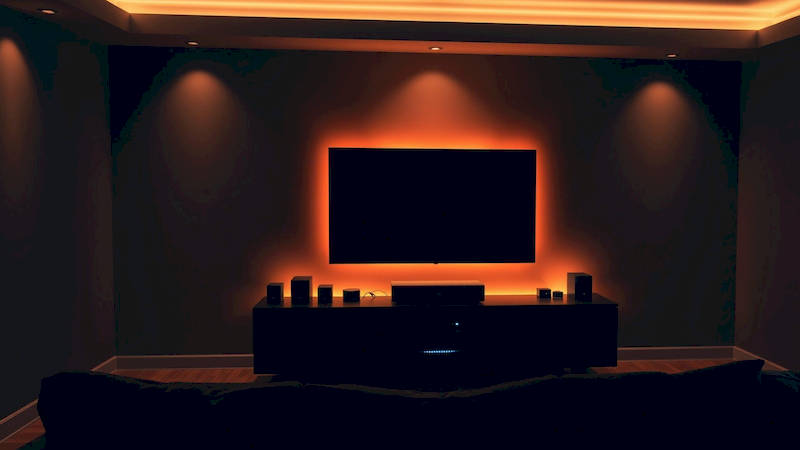
The modern smart home is built on integration – a seamless interplay between devices that enhances convenience, entertainment, and overall quality of life. While smart TVs offer stunning visuals and built-in streaming capabilities, their audio performance often leaves much to be desired. That’s where home audio automation platforms come in, offering a pathway to immersive, high-fidelity sound. Connecting your smart TV to these platforms isn't just about upgrading your listening experience; it’s about unlocking a new level of control, personalization, and automation within your entertainment ecosystem. As the smart TV market continues to boom – Statista projects global smart TV shipments to reach 287.7 million units in 2024 – the demand for sophisticated audio integration is also escalating.
This article will delve into the intricacies of connecting your smart TV with popular home audio automation platforms. We'll explore various connection methods, compatibility considerations, troubleshooting tips, and how to leverage the full potential of these integrations to create a truly intelligent home theater experience. We'll move beyond basic setups to examine advanced features like multi-room audio, voice control, and automated scenes. Ultimately, the goal is to empower you with the knowledge to build a home entertainment system that is both powerful and intuitive.
- Understanding the Landscape: Smart TVs, Audio Platforms, and Connectivity
- Navigating Connection Methods: ARC, eARC, Optical, and Wireless
- Platform Specific Integration: Sonos, Bose, and Denon HEOS
- Troubleshooting Common Connection Issues
- Leveraging Advanced Features: Multi-Room Audio and Voice Control
- Optimizing Audio Settings for Immersive Sound
- Key Takeaways and Next Steps
Understanding the Landscape: Smart TVs, Audio Platforms, and Connectivity
Before diving into specific connection methods, it's essential to understand the key players involved. Smart TVs, manufactured by brands like Samsung, LG, Sony, and TCL, typically offer a variety of connectivity options, including HDMI ARC (Audio Return Channel), optical audio, and sometimes even Bluetooth. However, the functionality and capabilities of these ports can vary significantly between models and manufacturers. Simultaneously, home audio automation platforms, such as Sonos, Bose SmartSound, Denon HEOS, and Bluesound, offer robust multi-room audio capabilities, voice control integration (Amazon Alexa, Google Assistant), and sophisticated app control.
These platforms often rely on Wi-Fi for communication between components, making a stable and reliable network crucial. The success of the integration hinges on compatibility; not all smart TVs will seamlessly work with every audio automation platform. Researching compatibility before purchasing equipment is paramount. Consider the features you desire: Do you want simple audio playback, or do you need advanced features like Dolby Atmos passthrough? Furthermore, the specific connection method chosen impacts the audio quality, control capabilities, and overall complexity of the setup.
It’s also important to acknowledge the shift toward HDMI eARC (Enhanced Audio Return Channel). This newer standard, present on more recent TV models and compatible receivers, offers significantly increased bandwidth compared to ARC, allowing for the transmission of higher-quality audio formats like Dolby TrueHD and DTS:X, offering a truly lossless and cinematic audio experience. However, requiring both the TV and the audio platform to support eARC.
Navigating Connection Methods: ARC, eARC, Optical, and Wireless
The most common methods for connecting a smart TV to a home audio automation platform revolve around physical connections and wireless protocols. HDMI ARC/eARC is generally the preferred method. ARC allows audio to be sent from the TV to an audio receiver or soundbar using a single HDMI cable. eARC, as mentioned previously, supersedes ARC with increased bandwidth. This method allows for full control of the audio system via the TV remote. Optical audio (TOSLINK) offers a digital audio connection but lacks the two-way communication of ARC/eARC, limiting control options. While reliable, it can’t transmit the higher-bandwidth audio formats supported by eARC.
Wireless connections, like Bluetooth and Wi-Fi, provide convenience but often compromise audio quality and introduce potential latency issues. Bluetooth is suitable for casual listening but isn’t ideal for immersive home theater experiences. Wi-Fi, as utilized by platforms like Sonos, relies on a stable network and can sometimes experience dropouts or buffering, particularly with high-resolution audio. The choice of connection method depends on your TV's ports, the capabilities of your audio platform, and your desired level of audio fidelity and control.
For example, if you have a Samsung QLED TV and a Sonos Arc soundbar, HDMI eARC is the optimal solution, providing Dolby Atmos support and seamless control. However, if your older TV only has an optical output, that will be your preferred method, albeit with limitations. When using ARC/eARC, ensure that the "HDMI Control" setting (often called CEC – Consumer Electronics Control) is enabled in your TV's settings. This allows the TV to send control signals to the audio device.
Platform Specific Integration: Sonos, Bose, and Denon HEOS
Each home audio automation platform has its own specific integration process with smart TVs. Sonos, arguably the most popular, offers seamless integration with many smart TV brands, often with automatic detection and setup. The Sonos app guides users through the process, simplifying configuration. Bose SmartSound systems, known for their ease of use, typically connect via HDMI ARC and are similarly streamlined in setup.
Denon HEOS, a more advanced platform, provides greater customization options and supports a wider range of audio formats. Integration with Denon HEOS often involves a more manual configuration process, requiring users to select the correct input on their receiver and configure audio settings within the TV menu. "The most common issue we see with HEOS setups is incorrect HDMI input selection on the receiver," states a Denon support technician. “Users often forget to switch to the ARC-enabled HDMI input.” Bluesound, another high-fidelity platform, offers similar functionality to HEOS and benefits from robust audio processing capabilities.
Regardless of the platform, consulting the manufacturer's documentation is crucial. Most platforms offer dedicated support articles and troubleshooting guides. Recognizing platform-specific nuances is key to a successful integration and maximizing performance.
Troubleshooting Common Connection Issues
Despite following the correct setup procedures, you might encounter issues connecting your smart TV to your home audio automation platform. Common problems include no audio, distorted audio, intermittent dropouts, and control issues. No audio often stems from incorrect input selection on the audio receiver, disabled HDMI-CEC, or muted volume levels. Distorted audio can be caused by incorrect audio format settings on the TV (e.g., trying to output Dolby Digital Plus to a device that only supports Dolby Digital).
Intermittent dropouts, particularly with wireless connections, are frequently attributed to Wi-Fi interference or a weak network signal. Ensure your router is positioned optimally and consider using a Wi-Fi extender if necessary. Control issues, where the TV remote doesn't control the audio system, usually indicate a problem with HDMI-CEC or require re-pairing devices. Performing a power cycle – unplugging both the TV and the audio device for 30 seconds – can often resolve temporary glitches. Furthermore, updating the firmware on both the TV and the audio platform can fix compatibility issues and improve performance.
Leveraging Advanced Features: Multi-Room Audio and Voice Control
Once your smart TV is connected to your home audio automation platform, you can unlock a wealth of advanced features. Multi-room audio allows you to synchronize music playback across multiple speakers throughout your home, creating a cohesive listening experience. You can start a song in the living room and seamlessly transition it to the bedroom as you move around. Voice control integration, through Amazon Alexa or Google Assistant, allows you to control your audio system with simple voice commands.
For instance, you can say, "Alexa, play music on the living room speakers," or "Hey Google, turn up the volume on the soundbar." Automating scenes, where the audio system automatically adjusts settings based on specific events, elevates the experience further. You can create a "Movie Night" scene that dims the lights, lowers the shades, and sets the audio system to surround sound mode. These features transform a simple home theater setup into an intelligent entertainment hub that anticipates your needs and enhances your enjoyment.
Optimizing Audio Settings for Immersive Sound
Connecting the devices is only the first step. Optimizing audio settings within both your TV and your audio platform is crucial to unlock the full potential of the system. Explore your TV's audio output settings and select the appropriate format based on your audio platform's capabilities. For eARC connections, prioritize lossless formats like Dolby TrueHD or DTS:X.
Within your audio platform's app, fine-tune equalization settings to match your room acoustics and personal preferences. Experiment with virtual surround sound settings to create a more immersive experience. Many platforms offer automatic room calibration features that use microphones to analyze your room's acoustics and adjust the audio output accordingly. "Room correction is arguably the single most important step in setting up a high-performance audio system," notes audio expert Geoffrey Morrison. “It can dramatically improve clarity, imaging, and overall sound quality.” Regularly reviewing and adjusting these settings will ensure consistent and optimal audio performance.
Key Takeaways and Next Steps
Integrating your smart TV with a home audio automation platform significantly elevates your home entertainment experience. Choosing the right connection method – prioritizing HDMI ARC/eARC when available – is paramount. Understanding platform-specific integration processes and troubleshooting common issues proactively is vital for a smooth setup. Leveraging advanced features like multi-room audio, voice control, and automated scenes unlocks the true potential of your system. Ultimately, remember to optimize audio settings for immersive sound and prioritize firmware updates for compatibility and performance.
Your next steps should involve researching your current TV and audio platform’s compatibility. Consult the manufacturers’ websites for detailed instructions. Consider your budget and desired features when choosing components. Finally, don’t be afraid to experiment with different settings to find what sounds best in your environment. By embracing these principles, you can transform your living room into a truly intelligent and captivating home theater.
Deja una respuesta