
Using smart remotes to control all your entertainment devices
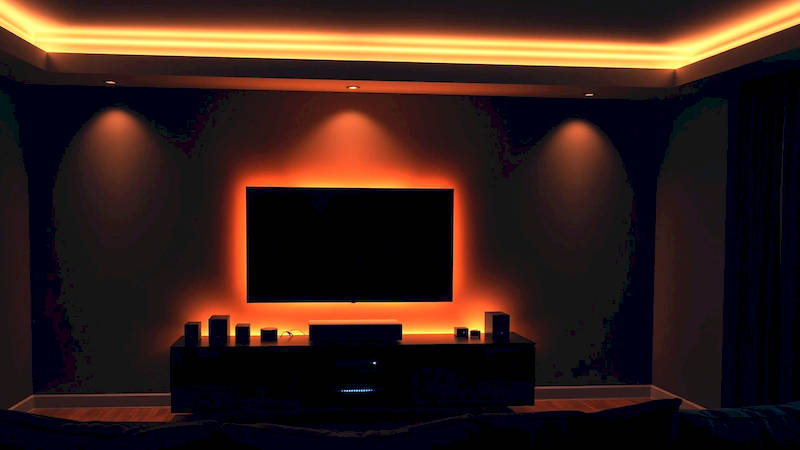
The modern home is increasingly becoming a connected ecosystem, with entertainment devices multiplying faster than ever. From streaming boxes and soundbars to Blu-ray players and smart TVs, managing this collection of technology can quickly become overwhelming. Juggling multiple remotes is not only inconvenient but also aesthetically displeasing and a source of frustration for many users. Enter the smart remote – a centralized control hub designed to simplify your entertainment experience. These sophisticated devices go beyond the capabilities of traditional remotes, offering universal compatibility, customizable controls, and integration with voice assistants. This article delves into the world of smart remotes, exploring their benefits, features, setup processes, and the best options available to help you regain control of your home entertainment system.
The promise of a single remote to rule them all isn’t a new one. Universal remotes have existed for decades. However, smart remotes represent a significant leap forward. They’re not just about infrared (IR) signals anymore. They leverage Wi-Fi, Bluetooth, and IP control to communicate directly with connected devices, unlocking features beyond simple power and volume adjustments. This means automation possibilities, seamless control of streaming services, and a cleaner, more streamlined entertainment setup. By understanding the capabilities of these devices, you can transform your living room into a truly sophisticated and user-friendly home theater.
- Understanding the Different Types of Smart Remotes
- Setting Up Your Smart Remote: A Step-by-Step Guide
- Key Features to Look For in a Smart Remote
- Troubleshooting Common Smart Remote Issues
- Integrating Your Smart Remote with a Smart Home Ecosystem
- Beyond Control: The Future of Smart Remotes
- Conclusion: Reclaim Control of Your Entertainment
Understanding the Different Types of Smart Remotes
Smart remotes aren’t a one-size-fits-all solution. Different designs cater to varying needs and budgets. One common category is the universal smart remote, designed to replace all your existing IR remotes. These devices typically boast extensive device databases and learning capabilities, allowing you to program them to control older, non-smart devices. Logitech Harmony remotes fall into this category and are renowned for their broad compatibility and robust features. These remotes often come with a central hub that connects to your Wi-Fi network, translating signals to devices that don’t natively support the remote.
Another type is the app-based smart remote. These remotes operate in conjunction with a smartphone or tablet app, turning your mobile device into a powerful control center. They often utilize Wi-Fi and Bluetooth to connect to devices and offer a highly customizable interface. Examples include Broadlink RM Mini 3 and similar devices. While requiring a smartphone, app-based remotes are generally more affordable and can pack a surprising amount of functionality. Finally, we have dedicated streaming remotes, such as those offered by some streaming stick manufacturers. These remotes are optimized for controlling specific streaming platforms and environments, but may lack the broad compatibility of universal options.
Choosing the right type depends largely on your setup. If you have a mix of old and new devices, a universal smart remote with a hub is probably the best choice. If you’re primarily a streamer and comfortable with using your smartphone, an app-based remote might suffice. It's worth noting that some smart TVs now come with fairly robust built-in remotes, potentially reducing the need for an additional investment, but they generally lack the advanced automation features of dedicated smart remotes.
Setting Up Your Smart Remote: A Step-by-Step Guide
The initial setup process can seem daunting, but most smart remotes are designed to be relatively user-friendly. The first step, regardless of the remote type, is to download the accompanying app (if applicable) and create an account. Next, you’ll need to connect the remote to your Wi-Fi network. For hub-based remotes like the Logitech Harmony, this involves connecting the hub to your router and following the in-app instructions. App-based remotes will typically connect directly through your phone's Wi-Fi settings.
Once connected, the remote will guide you through the process of adding your devices. Usually, this involves selecting the device type (e.g., TV, Blu-ray player, soundbar) and brand from a database. The remote will then attempt to control the device using pre-programmed codes. If these codes don’t work – which sometimes happens with less common or older devices – you can utilize the “learning” function, where the remote learns the IR signals directly from your existing remotes. This process requires pointing your old remote at the smart remote and pressing the corresponding buttons. It’s a bit tedious but provides a reliable solution for devices not covered by the remote's database.
Finally, customization is key. Most smart remotes allow you to create customized activities – sequences of commands that control multiple devices at once. For example, a “Watch Movie” activity might power on the TV, receiver, and Blu-ray player, switch the TV input to the correct HDMI port, and dim the lights (if you have smart lighting). This level of automation is where smart remotes truly shine.
Key Features to Look For in a Smart Remote
Beyond the basic ability to control your devices, several features can significantly enhance the smart remote experience. Voice Control is a major consideration, with compatibility with popular assistants like Amazon Alexa and Google Assistant allowing for hands-free operation. Being able to say “Alexa, watch Netflix” is remarkably convenient. Customizable Buttons and Interfaces are also crucial. You want a remote that allows you to map frequently used functions to easily accessible buttons.
Activity Creation is arguably the most powerful feature. The ability to combine multiple commands into a single action is what truly sets smart remotes apart. Look for remotes that offer a flexible and intuitive activity creation process. Additionally, Device Compatibility is paramount. While most smart remotes boast broad compatibility, it’s essential to verify that they support all your devices before purchasing. Pay close attention to compatibility with older or less common devices. According to a recent study by Parks Associates, 68% of broadband households use a universal remote, with compatibility being the top priority for consumers (Parks Associates, 2023). Lastly, consider features like backlighting for easy use in dark rooms and find-my-remote functionality to locate a misplaced remote.
Troubleshooting Common Smart Remote Issues
Despite their sophistication, smart remotes aren’t immune to issues. A common problem is connectivity issues, where the remote loses connection to the hub or devices. This can often be resolved by restarting the hub, remote, and devices involved. Incorrect Device Control is another frequent issue, often stemming from incorrect device setup or conflicting IR codes. Double-check your device settings and try re-programming the remote.
App Glitches can also occur, requiring you to update the app or even reinstall it. Ensure you are running the latest version of the app and that your smartphone’s operating system is up to date. Sometimes, interference from other devices can disrupt the signal. Try moving the hub away from other electronic devices. If you've exhausted all other troubleshooting steps, checking the manufacturer's support website or contacting their customer support team is often the best course of action.
Integrating Your Smart Remote with a Smart Home Ecosystem
The true potential of a smart remote is unlocked when integrated with a broader smart home ecosystem. Connecting your remote to platforms like Amazon Alexa, Google Assistant, or Apple HomeKit allows you to control your entertainment devices using voice commands. “Hey Google, turn on the TV” or “Alexa, pause the movie” become everyday commands.
Furthermore, you can create more complex automations that integrate your entertainment system with other smart home devices. For example, you could automate your lights to dim when you start a movie, or have a smart thermostat adjust the temperature for optimal comfort. A smart remote can act as a central control point, linking your entertainment system to the rest of your connected home. According to Statista, the number of smart home devices is projected to reach 1.9 billion units by 2025, highlighting the growing importance of seamless integration (Statista, 2023).
Beyond Control: The Future of Smart Remotes
The evolution of smart remotes isn't slowing down. Future iterations are likely to leverage advancements in artificial intelligence (AI) and machine learning (ML) to offer even more personalized and intuitive experiences. We can expect remotes that learn your viewing habits and proactively suggest content, or that automatically adjust settings based on ambient lighting conditions.
Touchscreen interfaces are becoming more prevalent, offering greater flexibility and customization. Furthermore, we might see increased integration with gesture control, allowing you to control your devices with simple hand movements. The role of the smart remote is shifting from simply being a control device to becoming an intelligent hub for the entire home entertainment experience. As technology advances, the smart remote will become an ever-more-essential component of the connected home.
Conclusion: Reclaim Control of Your Entertainment
Smart remotes offer a compelling solution to the complexities of managing modern home entertainment systems. By consolidating control, automating tasks, and integrating with broader smart home ecosystems, these devices simplify the user experience and unlock a new level of convenience. While the initial setup may require some effort, the long-term benefits – streamlined control, reduced clutter, and a more enjoyable entertainment experience – are well worth the investment.
Key takeaways include understanding the different types of smart remotes available, carefully considering your device compatibility needs, and taking the time to customize your remote to fit your specific preferences. For those ready to take the plunge, researching current models, reading reviews, and comparing features will ensure you choose a smart remote that truly meets your needs. Ultimately, a smart remote isn’t just about replacing multiple remotes; it’s about reclaiming control of your entertainment and enjoying a more seamless and immersive home theater experience.
References:
- Parks Associates. (2023). Universal Remote Research.
- Statista. (2023). Number of smart home devices worldwide. https://www.statista.com/statistics/1135679/number-of-smart-home-devices-worldwide/
Deja una respuesta