
How to Use Smart Home Hubs to Connect and Manage Multiple Devices
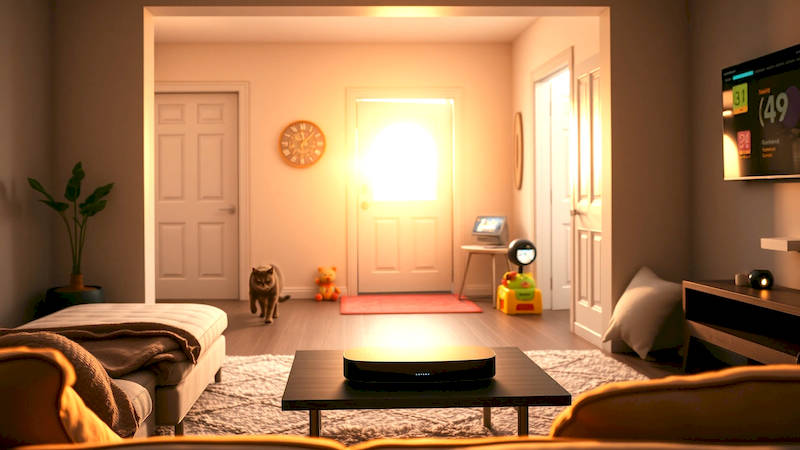
The promise of a truly connected home – lights adjusting to your mood, security systems protecting your loved ones, appliances responding to voice commands – is no longer a futuristic fantasy. It's a reality within reach for homeowners today, fueled by the proliferation of smart devices. However, the burgeoning ecosystem of smart gadgets also presents a significant challenge: fragmentation. Different devices often operate on different communication protocols, making seamless integration a complex undertaking. This is where smart home hubs enter the picture, acting as the central nervous system for your connected life. From simplifying setup to enabling automation, a well-chosen and configured hub is key to unlocking the full potential of your smart home investment. This article will delve deep into the world of smart home hubs, exploring their functionality, the various options available, and providing a comprehensive guide to connecting and managing your devices effectively.
The concept of a smart home, once considered a niche luxury, is rapidly moving towards mainstream adoption. A recent report by Statista projects the smart home market to reach $174.2 billion in 2024, with continuous growth expected in the coming years. This surge is driven by decreasing device costs, increasing internet penetration, and a growing consumer desire for convenience, security, and energy efficiency. But simply owning smart devices isn’t enough. True smart home functionality lies in the ability to orchestrate these devices – to make them work together harmoniously. This is where the central role of a hub becomes undeniable, offering a unified control point and preventing a chaotic web of disparate apps and connections.
- Understanding the Role of a Smart Home Hub
- Exploring Different Types of Smart Home Hubs
- Connecting Devices to Your Smart Home Hub: A Step-by-Step Guide
- Creating Automations and Scenes for Enhanced Functionality
- Security Considerations for a Connected Home
- Troubleshooting Common Smart Home Hub Issues
- Conclusion: Embracing a Smarter Future
Understanding the Role of a Smart Home Hub
At its core, a smart home hub is a central device that acts as a bridge between your various smart devices and your home network. Think of it as a translator, converting different wireless communication protocols into a unified language that all your devices can understand. These protocols include Wi-Fi, Bluetooth, Zigbee, Z-Wave, and others. Without a hub, you might find yourself needing multiple apps to control different devices, and creating complex automations becomes nearly impossible. “The real power of the smart home doesn't reside in individual gadgets, but in the collective intelligence and coordinated actions that a hub enables,” says David Pogue, renowned tech columnist and author.
The hub doesn’t just connect devices; it also offloads processing and communication tasks, freeing up your Wi-Fi router and potentially improving network performance. Many hubs also offer local processing, meaning that some automations can continue to function even if your internet connection goes down. This is particularly crucial for security systems and essential home functions like lighting. Additionally, hubs often support voice control integration with popular assistants like Amazon Alexa, Google Assistant, and Apple Siri, further enhancing convenience and usability. Investing in a hub is investing in the long-term scalability and functionality of your smart home.
Exploring Different Types of Smart Home Hubs
The market offers a variety of smart home hubs, each with its own strengths and weaknesses. Perhaps the most well-known are the hubs offered by tech giants like Amazon (Echo devices with built-in hubs), Google (Google Nest Hub), and Apple (HomePod). These hubs are often tightly integrated with their respective ecosystems, offering seamless compatibility with devices that support Alexa, Google Assistant, or Apple HomeKit. However, this integration can come at the cost of limited support for devices utilizing other protocols.
Beyond these major players, dedicated hubs like Samsung SmartThings, Hubitat Elevation, and Aeotec Smart Home Hub offer broader protocol support, specifically prioritizing Z-Wave and Zigbee, which are often favored for their reliability and low power consumption. These hubs tend to be more flexible and customizable, appealing to DIY enthusiasts and users who want greater control over their smart home setup. The choice ultimately depends on your current and anticipated devices, your technical expertise, and your preferred voice assistant. For instance, someone heavily invested in Apple products and prioritizing ease of use might lean towards a HomePod, while someone seeking maximum compatibility and customization might opt for a Hubitat Elevation.
Connecting Devices to Your Smart Home Hub: A Step-by-Step Guide
The process of connecting devices to your hub generally follows a similar pattern, regardless of the hub you’ve chosen. First, ensure that your hub is properly set up and connected to your home network. This typically involves downloading the hub’s companion app on your smartphone or tablet and following the on-screen instructions. Next, put your smart device into pairing mode. This usually involves pressing a button on the device itself or following specific instructions within the device’s own app.
The hub’s app will then guide you through the discovery process, searching for nearby devices in pairing mode. Once the device is found, you’ll likely be prompted to name it and assign it to a specific room within your home. Repeat this process for each device you want to connect. Crucially, remember to consult the documentation for each device – some require a specific setup procedure or may not be directly compatible with your hub. Troubleshoot pairing issues by ensuring the device is within range of the hub, checking for firmware updates, and resetting the device to factory settings if necessary.
Creating Automations and Scenes for Enhanced Functionality
Once your devices are connected, the real magic begins: creating automations and scenes. Automations are rules that trigger actions based on specific events. For example, you could create an automation that turns on your living room lights automatically when motion is detected after sunset. Scenes, on the other hand, allow you to control multiple devices with a single command. A "Movie Night" scene, for instance, could dim the lights, lower the blinds, and turn on your entertainment system.
Most hubs offer a visual interface for creating these automations and scenes, using "if this, then that" logic. Some hubs also support more complex scripting languages for advanced users. Think about how you use your home and identify areas where automation could enhance convenience and efficiency. Simple examples include automatically adjusting the thermostat based on occupancy, receiving notifications when a door or window is opened, and simulating occupancy while you’re away on vacation. Don’t be afraid to experiment and refine your automations over time to optimize them for your needs.
Security Considerations for a Connected Home
While smart homes offer numerous benefits, they also introduce new security risks. Connecting devices to the internet expands your attack surface, making you potentially vulnerable to hackers. It’s crucial to take proactive steps to secure your smart home network. This includes changing the default passwords on all your devices and the hub itself, enabling two-factor authentication whenever possible, and regularly updating the firmware on all your devices and the hub.
Consider segmenting your smart home network from your primary network using a guest Wi-Fi network. This limits the potential damage if a smart device is compromised. Pay attention to privacy settings and review the data collection policies of your devices and hub provider. A strong, unique password for your Wi-Fi network is also paramount. Reviewing your hub’s security logs periodically can also help identify and address potential threats. As Emily Peters, a cybersecurity expert, notes: “Smart home security is an ongoing process, not a one-time setup. Constant vigilance and proactive measures are essential.”
Troubleshooting Common Smart Home Hub Issues
Despite careful planning, you may encounter issues with your smart home hub. Common problems include devices losing connection, automations failing to trigger, and the hub itself becoming unresponsive. When a device loses connection, first check its power source and Wi-Fi signal strength. Try restarting the device and the hub. If problems persist, consult the device’s documentation or the hub manufacturer’s support resources.
For failed automations, review the automation’s settings to ensure that all conditions are correctly configured. Check the recent activity log to see if any errors occurred during the automation execution. If the hub becomes unresponsive, try restarting it. If a restart doesn’t resolve the issue, consider performing a factory reset, but be aware that this will erase all your settings and you'll need to reconfigure everything. Many online forums and communities are dedicated to smart home technology, providing valuable troubleshooting advice and support from fellow users.
Conclusion: Embracing a Smarter Future
Smart home hubs are essential tools for taking control of your connected life. They simplify device management, enable powerful automations, and unlock the full potential of the smart home ecosystem. Choosing the right hub depends on your individual needs and technical expertise, but the benefits of a unified, centralized control system are undeniable. Remember to prioritize security, regularly update your devices, and don’t be afraid to experiment with different configurations to optimize your smart home experience. The future of home automation is bright, and with a well-implemented smart home hub, you can confidently embrace a more convenient, efficient, and secure lifestyle. Key takeaways include prioritizing protocol compatibility when choosing a hub, diligently securing your network, and continuously refining your automations for optimal performance. The journey to a truly smart home is ongoing, but equipping yourself with the right tools and knowledge will set you on the path to success.
Deja una respuesta