
Automating Home Lighting Systems Using Popular Controllers and Hubs
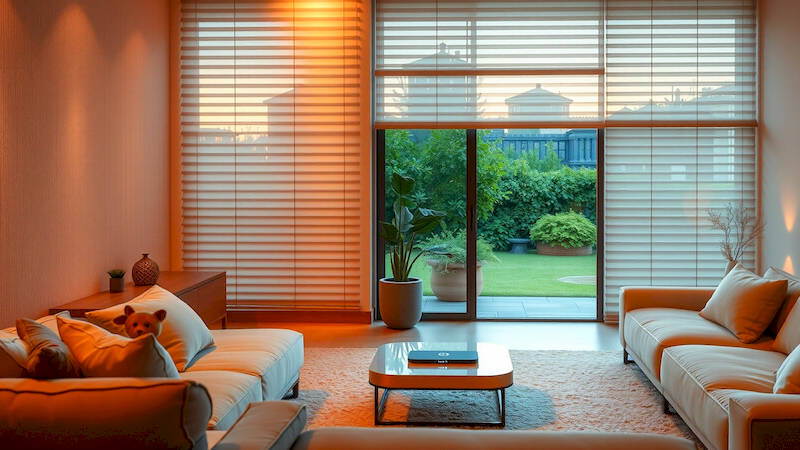
The modern smart home promises convenience, energy efficiency, and a heightened sense of security. While many aspects of home automation capture attention – thermostats, security systems, voice assistants – the foundation of a truly engaging smart home experience often lies in intelligent lighting. Beyond simply turning lights on and off remotely, automating your home lighting system offers granular control over ambiance, energy consumption, and even your overall well-being. This article will serve as a complete guide to automating your home lighting, exploring popular controllers and hubs, detailing practical implementation, and outlining the benefits of a well-planned system. The lighting landscape has dramatically changed in recent years, moving beyond basic timers to sophisticated systems employing multiple protocols and offering integration with other smart home devices.
The benefits are multifaceted. Beyond the sheer convenience of voice-controlled illumination, automated lighting can mimic occupancy while you’re away, boosting security. Furthermore, thoughtful lighting scenes can enhance mood and productivity, adapting to different activities throughout the day. Energy savings are also significant; smart bulbs and dimming capabilities reduce consumption, and automated schedules eliminate wasted energy from lights left on unnecessarily. According to a study by the U.S. Department of Energy, lighting accounts for approximately 15-20% of a typical household's electricity bill, making it a prime area for savings through automation. This translates to not only lower monthly bills, but a reduced environmental footprint, something increasingly important to homeowners.
- Understanding the Core Components: Hubs, Bulbs, and Protocols
- Popular Controllers and Hubs: A Detailed Comparison
- Designing Effective Lighting Scenes and Routines
- Advanced Features: Motion Sensing, Geofencing, and Voice Control
- Troubleshooting Common Issues and Optimizing Performance
- Long-Term Considerations: Future-Proofing Your System and Energy Efficiency
Understanding the Core Components: Hubs, Bulbs, and Protocols
At the heart of any automated lighting system is a central hub or controller. These devices act as the brain of the operation, communicating with the lights and allowing you to control them through an app, voice commands, or automated routines. Popular choices include SmartThings, Hubitat Elevation, Apple HomeKit (through an Apple TV or HomePod), and dedicated lighting hubs like Lutron Caséta. Each has its strengths and weaknesses. SmartThings boasts broad compatibility and affordability, while Hubitat prioritizes local control and privacy. Apple HomeKit excels in user experience and seamless integration with the Apple ecosystem, and Lutron offers incredible reliability and a polished interface, though at a higher price point.
The choice of hub dictates, to a large extent, the protocols supported. The most common are Zigbee, Z-Wave, Wi-Fi, and Bluetooth. Zigbee and Z-Wave are mesh networks, meaning devices relay signals to each other, extending range and improving reliability. They are generally more energy-efficient and less prone to interference than Wi-Fi. However, they require a hub. Wi-Fi bulbs connect directly to your router, circumventing the need for a dedicated hub, but can potentially strain your Wi-Fi network, especially with many devices. Bluetooth offers low energy consumption and is simple to set up for basic control, but has limited range and is less commonly used for whole-home automation. “Choosing the right protocol isn’t just about technical specs; it’s about future-proofing your system,” notes Richard Holtz, a smart home consultant with over a decade of experience. "Invest in a protocol that aligns with your expansion goals."
Beyond the hub, the lights themselves are crucial. Smart bulbs are the most straightforward option, offering easy installation and dimming capabilities. However, they can be expensive, particularly for outfitting an entire home. Smart switches and dimmers are a more cost-effective alternative, controlling existing bulbs while adding smart functionality. Consider LED bulbs for energy efficiency and longevity; they pair perfectly with smart controls, maximizing the benefits of automation. Finally, it’s important to note that not all bulbs are created equal. Look for bulbs specifically designed for smart home integration, ensuring compatibility with your chosen hub and protocol.
Popular Controllers and Hubs: A Detailed Comparison
Let's delve deeper into some of the leading controllers and hubs. SmartThings (Samsung) is a widely popular option due to its affordability and extensive device compatibility. It supports Zigbee, Z-Wave, and Wi-Fi, making it a versatile choice for integrating various smart home devices. However, it relies heavily on cloud connectivity, which can be a concern for privacy or reliability during internet outages. Hubitat Elevation stands out as a local control hub, processing data locally rather than relying on the cloud. This boosts privacy, speed, and reliability. It primarily uses Zigbee and Z-Wave, offering a robust and secure system. However, its setup can be more complex than cloud-based options.
Apple HomeKit, accessed through an Apple TV or HomePod, offers seamless integration with the Apple ecosystem. It’s known for its intuitive user interface and strong security features. However, it has limited device compatibility compared to SmartThings or Hubitat, and requires an Apple device to function. Finally, Lutron Caséta is a premium option renowned for its reliability and polished user experience. It utilizes its own proprietary protocol, ClearConnect, which is extremely robust and avoids Wi-Fi interference. Setup is straightforward, and the system offers excellent control and dimming capabilities. Its downside is the higher cost, and the reliance on Lutron-specific devices. A common misconception is that HomeKit is simpler; in reality, smart home complexity often comes from the sheer volume of supported devices, not the hubs themselves.
Designing Effective Lighting Scenes and Routines
The true power of automated lighting lies in creating scenes and routines that adapt to your lifestyle. A “Good Morning” routine could gradually increase the brightness of bedroom lights, simulating sunrise, while a “Movie Night” scene dims the living room lights and turns on accent lighting. “Coming Home” routines can automatically illuminate pathways and entryways as you approach, enhancing security and convenience. These routines can be triggered by time of day, sensor input (motion, door/window sensors), or even geofencing (location-based automation).
Creating effective scenes requires careful consideration of color temperature and intensity. Warm white light (2700K-3000K) is ideal for relaxing environments like bedrooms and living rooms, while cool white light (4000K-5000K) enhances focus and productivity in workspaces. Dimming capabilities are also essential, allowing you to adjust the mood and conserve energy. For example, a “Dinner” scene might use a warm, dimmed light to create an intimate atmosphere, while a “Reading” scene might use a brighter, focused light source. Expert lighting designers recommend using multiple light sources within a room to achieve balanced and visually appealing lighting.
Advanced Features: Motion Sensing, Geofencing, and Voice Control
Beyond basic scenes and routines, advanced features can elevate your lighting automation. Motion sensors can trigger lights in hallways, closets, or bathrooms, providing hands-free illumination and improving security. Geofencing utilizes your smartphone's location to automate lighting based on your proximity to home, turning lights on as you approach and off as you leave. This not only enhances convenience but also saves energy.
Voice control, through assistants like Amazon Alexa, Google Assistant, or Apple Siri, adds another layer of convenience. You can control lights with simple voice commands, such as “Alexa, turn on the living room lights” or “Hey Google, dim the bedroom lights to 50%.” Integration with IFTTT (If This Then That) allows you to create custom applets that connect your lighting system to other smart home devices and online services. For example, you could create an applet that flashes your lights when you receive a text message or when the weather forecast predicts rain. However, privacy concerns surrounding voice assistants are valid – ensure you understand the data collection practices of your chosen provider.
Troubleshooting Common Issues and Optimizing Performance
Setting up and maintaining an automated lighting system isn't always seamless. Common issues include connection problems, device incompatibility, and software glitches. If a smart bulb fails to connect, try resetting it by powering it off and on several times. Ensure your hub is within range of the bulb and that there are no sources of interference. Device incompatibility can be addressed by checking the hub's compatibility list or using a universal remote control.
Software glitches can often be resolved by updating the hub's firmware and the smart bulb's software. Regularly checking for updates is crucial for maintaining optimal performance. To optimize performance, avoid overcrowding your Wi-Fi network, use a strong and secure Wi-Fi password, and consider using a mesh Wi-Fi system for better coverage. A crucial step often overlooked is documenting your setup; a simple spreadsheet listing devices, protocols and the hub connection details can be a life saver during troubleshooting.
Long-Term Considerations: Future-Proofing Your System and Energy Efficiency
As smart home technology continues to evolve, it's important to future-proof your lighting system. Choosing a hub with open standards and broad device compatibility will give you more flexibility in the long run. Consider investing in a system that supports over-the-air updates (OTA), ensuring that your devices remain compatible with the latest features and security protocols.
Ultimately, the goal of automated lighting is not just convenience but also energy efficiency. Utilizing dimming capabilities, scheduling routines, and leveraging motion sensors can significantly reduce your energy consumption. According to the Environmental Protection Agency, switching to energy-efficient lighting can save you hundreds of dollars per year and reduce your carbon footprint. Regularly monitor your energy usage and adjust your routines accordingly to maximize savings. Investing in a quality smart lighting system is an investment in your comfort, security, and the environment.
In conclusion, automating your home lighting system is a powerful way to enhance your living experience, improve energy efficiency, and add a layer of security to your home. By carefully considering your needs, choosing the right components, and designing effective scenes and routines, you can create a truly personalized and intelligent lighting environment. Remember to prioritize interoperability, consider long-term compatibility, and regularly monitor your system's performance. The journey to a smart home starts with intelligent illumination, paving the way for a more connected and convenient future.
Deja una respuesta