
Automating media playback schedules for consistent home ambiance
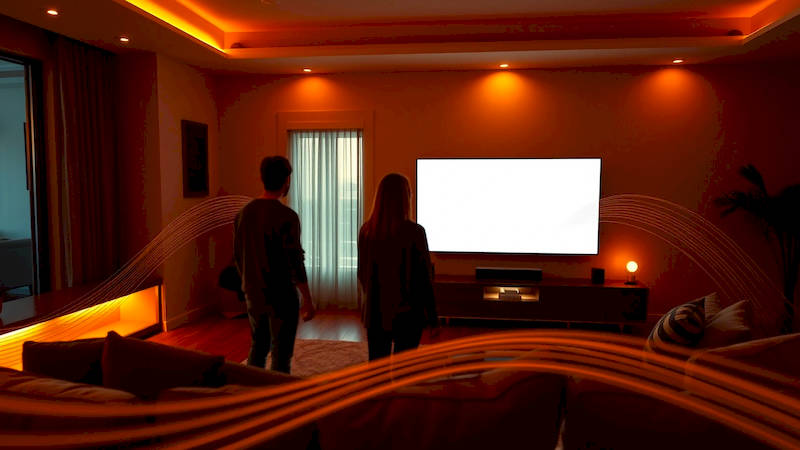
The modern smart home extends far beyond security systems and lighting control. Increasingly, homeowners are seeking to leverage technology to curate experiences, and a powerful, often overlooked aspect of this is automating media playback. Beyond simply streaming music or movies, scheduled media automation allows you to cultivate a specific ambiance throughout the day, effortlessly transitioning from energizing morning sounds to relaxing evening melodies, or even simulating a bustling café atmosphere while you work from home. This isn't just about convenience; it's about consciously designing your environment to support your activities, enhance your mood, and ultimately, improve your quality of life.
As our understanding of the impact of sound and visual stimulation on well-being grows, so too does the demand for personalized and automated environmental control. A recent study by the University of Sussex demonstrated that listening to calming music can reduce stress levels by up to 65%, while appropriate background noise, like simulated ambient café sounds, can increase focus and productivity. This highlights the tangible benefits of deliberate auditory ambiance, benefits readily amplified through smart home automation.
This article delves into the world of automating media playback schedules, exploring the tools, methods, and considerations needed to create a truly harmonized home environment. We’ll move beyond simple timer settings to explore complex rule-based systems, multi-room audio integration, and even the potential for dynamic content selection based on real-time data.
- Understanding the Building Blocks: Hardware & Platforms
- Establishing a Baseline: Defining Your Ambiance Schedules
- Leveraging Platform-Specific Tools: Alexa Routines, Google Routines, and More
- Going Beyond the Basics: Home Assistant and Node-RED for Advanced Control
- The Power of Integration: Combining Media with Other Smart Home Devices
- Troubleshooting and Refinement: Ensuring Smooth Playback
- Conclusion: Crafting Your Sonic Landscape
Understanding the Building Blocks: Hardware & Platforms
Before diving into scheduling, it’s crucial to understand the hardware ecosystem. The foundation of any automated media system lies in smart speakers, streaming devices, and AV receivers. Sonos is a perennial favorite, renowned for its tightly integrated multi-room audio platform and robust API. However, other options like the Amazon Echo, Google Home, and Apple HomePod offer increasing functionality and compatibility. Beyond speakers, consider smart displays (like the Amazon Echo Show or Google Nest Hub) which can combine audio playback with visual elements, offering clock, weather, or ambient visualizations.
The platform you choose – whether it's Amazon Alexa, Google Assistant, Apple HomeKit, or a more independent solution like Home Assistant – will heavily influence your automation capabilities. Alexa and Google Assistant are typically easier to set up and offer broader third-party integration, while Apple HomeKit prioritizes privacy and security but has a more limited selection of compatible devices. Home Assistant, while requiring a steeper learning curve, provides unparalleled customization and local control, meaning your automations aren't reliant on cloud connectivity. Remember to check device compatibility before investing, as not all devices work seamlessly with every platform.
Finally, a reliable and robust Wi-Fi network is paramount. Streaming high-quality audio or video requires sufficient bandwidth, and a weak or unstable connection will disrupt your carefully curated ambiance. Mesh Wi-Fi systems are often the best solution for larger homes, ensuring consistent coverage throughout.
Establishing a Baseline: Defining Your Ambiance Schedules
The cornerstone of effective automation is thoughtful planning. Don’t simply set music to play randomly; instead, map out your typical daily and weekly routines and identify opportunities to enhance them with appropriate media. Consider different “scenes” – for example, a "Morning Energy" scene with upbeat music and news briefings, a "Work Focus" scene with white noise or ambient soundscapes, a "Dinner Relaxation" scene with jazz or classical music, and a "Movie Night" scene with surround sound and dimmed lights.
Once you have these scenes in mind, start defining specific schedules. This could involve setting a certain playlist to play during your commute (integrating with geofencing notifications), or automatically transitioning to a sleep-inducing soundscape 30 minutes before bedtime. Be precise: specify the time, day of the week, volume level, and even the specific track or playlist to be played. Start simple and gradually add complexity. Don’t be afraid to experiment and refine your schedules based on your preferences. A good starting point is to build a schedule for the most common and impactful times of the day, then iteratively expand coverage.
Leveraging Platform-Specific Tools: Alexa Routines, Google Routines, and More
Each smart home platform offers its own built-in automation tools. Alexa Routines, for instance, allow you to trigger a series of actions – including media playback – based on specific triggers like time of day, voice commands, sensor readings, or the setting/rising of the sun. Similarly, Google Routines offer comparable functionality. Apple HomeKit’s Automation feature provides a more visually-oriented interface, allowing you to create schedules and trigger actions based on time, location, or sensor readings.
These platform-specific tools are a great starting point for basic automations. You can, for example, create an Alexa Routine to start playing your "Jazz Vibes" playlist every evening at 6 PM, gradually increasing the volume over 15 minutes. Google Routines offer the ability to incorporate multiple actions – combining media playback with lighting adjustments and thermostat controls. However, these native tools often lack the advanced customization options offered by more sophisticated platforms.
Going Beyond the Basics: Home Assistant and Node-RED for Advanced Control
For users seeking truly granular control, Home Assistant and Node-RED are powerful alternatives. Home Assistant is an open-source home automation platform that offers unparalleled flexibility and customization. It supports a vast array of devices and integrations and allows you to create complex automations using YAML configuration files. Node-RED, often used in conjunction with Home Assistant, provides a visual, flow-based programming interface, making it easier to create and manage complex automations.
With these tools, you can create dynamic media schedules based on real-time data. Imagine a system that automatically adjusts the music selection based on the weather – playing upbeat tracks on sunny days and calmer tunes on rainy ones. Or a system that pauses music when the doorbell rings or when someone enters the room. The possibilities are virtually limitless. While the learning curve is steeper, the level of control and customization offered by these platforms is unmatched.
The Power of Integration: Combining Media with Other Smart Home Devices
The true potential of automated media playback lies in its integration with other smart home devices. For example, you can synchronize your lighting with your music, creating a dynamic and immersive experience. Philips Hue, for instance, offers a "Sync" feature that allows you to synchronize its lights with the music playing on your smart speakers. You can also integrate media playback with your smart thermostat, adjusting the temperature based on the mood you're trying to create.
Consider creating a “Movie Night” scene that automatically dims the lights, closes the smart blinds, adjusts the thermostat to a cozy temperature, and starts playing your favorite movie on your smart TV. Or a "Good Morning" scene that gradually increases the brightness of the lights, starts playing upbeat music, and brews your coffee. These coordinated automations transform your home into a seamless and responsive environment.
Troubleshooting and Refinement: Ensuring Smooth Playback
Automation isn’t always perfect. Expect some initial hiccups and be prepared to troubleshoot. Common issues include connectivity problems, device compatibility issues, and errors in your automation rules. Regularly check your Wi-Fi network strength and ensure that all your devices are online. Review your automation logs to identify any errors or conflicts.
Don't be afraid to experiment with different settings and configurations. If a particular automation isn't working as expected, try simplifying it or breaking it down into smaller steps. Also, remember that algorithms sometimes need “training” – give your systems time to understand your preferences and adapt to your routines. Regularly review and refine your schedules based on your experiences, ensuring they continue to meet your evolving needs.
Conclusion: Crafting Your Sonic Landscape
Automating media playback schedules is about more than just convenience – it’s about intentionally designing your home environment to enhance your well-being, productivity, and overall quality of life. By carefully considering your daily routines, leveraging the right hardware and platforms, and embracing the power of integration, you can create a truly harmonized home that responds to your needs and adapts to your mood.
The key takeaways are to start with a clear plan encompassing defined scenes and schedules. Utilize the native automation tools within your chosen smart home platform as a starting point, and don’t hesitate to explore more advanced options like Home Assistant and Node-RED for unparalleled customization. Regularly refine your automations based on your experiences and preferences, and remember to troubleshoot any issues promptly. Ultimately, automating your media playback is an investment in your home, your comfort, and your sense of well-being. This proactive approach to environmental control transforms your house into a responsive and supportive home, truly tailored to your lifestyle.
Deja una respuesta