
Building a Smart Climate Dashboard with Multiple Devices
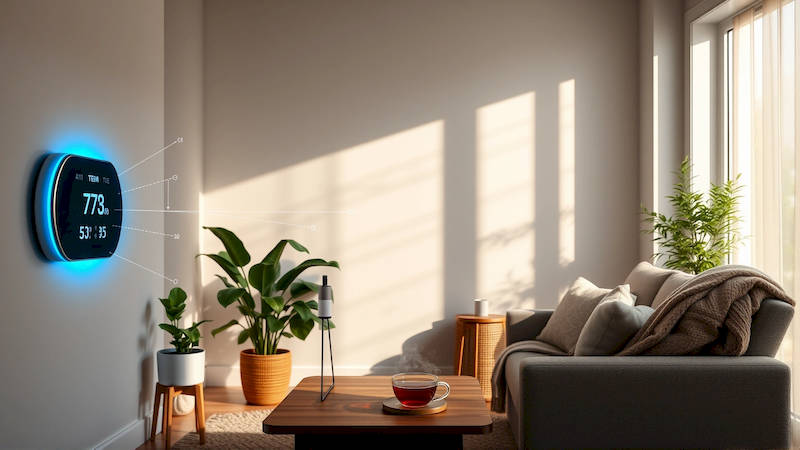
The concept of a “smart home” has rapidly evolved from a futuristic ideal to an increasingly accessible reality for homeowners. While many envision centralized lighting or entertainment systems, a core component of a truly intelligent home lies in its ability to manage the environment – and specifically, the climate. However, simply installing a smart thermostat isn’t enough. Many households now utilize a diverse, and often fragmented, ecosystem of climate-related devices: smart thermostats, air quality monitors, smart air conditioners, humidifiers, and even smart window shades. The key to unlocking the true potential of these devices isn’t just connecting them, it's visualizing and controlling them together through a unified, comprehensive smart climate dashboard. This article delves into the process of building such a dashboard, exploring the technologies, platforms, and strategies required for truly intelligent climate control.
The demand for smart climate control is skyrocketing. According to a recent report by Statista, the global smart thermostat market is projected to reach $5.3 billion by 2027, and the smart air purifier market is expected to exceed $10 billion. This growth isn’t driven solely by convenience; increasing concerns about indoor air quality, energy efficiency, and the impact of climate change are significant factors. A unified dashboard isn’t about bragging rights; it’s about proactive environmental management, maximizing comfort, and reducing your carbon footprint. The fragmentation of the current smart home landscape makes a strategic approach to dashboard creation crucial for realizing these benefits.
- Understanding the Ecosystem: Devices and Protocols
- Choosing a Central Platform: Hubs and Software
- Data Aggregation and Visualization: Building the Dashboard Interface
- Creating Automation Rules: Proactive Climate Control
- Security and Privacy Considerations
- Troubleshooting and Maintenance
- Expanding Your Dashboard: Future Integrations
Understanding the Ecosystem: Devices and Protocols
Before diving into the technicalities of dashboard construction, it’s crucial to recognize the diversity of devices available and the communication protocols they employ. Smart thermostats, like those from Nest, Ecobee, and Honeywell, are the foundational elements for many systems. Alongside these, an increasing number of consumers are incorporating air quality sensors (e.g., Awair, Airthings) which measure particulate matter (PM2.5, PM10), volatile organic compounds (VOCs), carbon dioxide (CO2), and humidity. Expanding this further, devices like smart air conditioners (often compatible with Amazon Alexa or Google Assistant) and humidifiers add another layer of control. Finally, integrating automated window coverings adds a passive, energy-saving component to the overall strategy.
This diversity is where compatibility becomes paramount. These devices don’t inherently "speak" the same language. They communicate using different protocols – Wi-Fi, Zigbee, Z-Wave, and Bluetooth being the most prevalent. Wi-Fi is the most common but can be congested, potentially impacting performance. Zigbee and Z-Wave are mesh networks that offer better range and reliability, but require a hub to connect to your home network. Bluetooth is suitable for direct connections but lacks the range for a whole-home system. Choosing a central platform that supports a wide range of protocols is essential for avoiding device silos. "The biggest challenge currently facing smart home users isn’t the cost of devices, it's the interoperability between them," notes industry analyst Ben Thompson of SmartHomeReview.com.
Effectively mapping out your existing devices and their protocols is the foundational first step. Create a detailed inventory, noting each device's capabilities and how it currently connects to your network. This inventory will dictate the core architectural choices for your dashboard.
Choosing a Central Platform: Hubs and Software
The heart of your smart climate dashboard is the platform that aggregates and presents the data from all your connected devices. Numerous options are available, each with its strengths and weaknesses. Dedicated smart home hubs like Samsung SmartThings, Hubitat Elevation, and Homey Pro offer broad protocol support and local processing capabilities (important for privacy and reliability when internet connectivity fails). These hubs serve as a central point of communication, translating between different protocols and executing automation rules.
Alternatively, software-based platforms like Home Assistant (open-source) and Node-RED (flow-based programming) provide even greater flexibility and customization. Home Assistant, in particular, is incredibly popular among enthusiasts due to its extensive device integration and powerful automation engine. However, these platforms typically require more technical expertise to set up and maintain than dedicated hubs. Finally, some users leverage the built-in ecosystems of major voice assistants like Amazon Alexa or Google Assistant. While convenient, these platforms can be limiting in terms of customization and data privacy.
Selecting the right platform depends on your technical aptitude and desired level of control. If you prioritize simplicity and ease of use, a dedicated hub is likely the best choice. For advanced users seeking maximum customization and local control, Home Assistant is the leader. Consider the learning curve and ongoing maintenance requirements of each platform before making a commitment.
Data Aggregation and Visualization: Building the Dashboard Interface
Once you’ve chosen a platform, the next step is configuring it to collect data from your devices and present it in a meaningful way. Most platforms offer built-in dashboarding tools, allowing you to create custom displays with graphs, gauges, and controls. The key is to design a dashboard that provides at-a-glance insights into your indoor climate.
Prioritize key metrics: temperature, humidity, CO2 levels, PM2.5 concentration, and energy usage. Visualize temperature trends over time to identify potential energy inefficiencies. Display CO2 levels to monitor ventilation and air quality. Use color-coding to highlight areas of concern (e.g., red for high PM2.5 levels). Go beyond simple data presentation by creating composite visualizations. For instance, displaying temperature and humidity on a psychrometric chart provides a comprehensive understanding of perceived comfort. Many platforms allow the integration of custom HTML and JavaScript for creating entirely bespoke dashboards. Don’t be afraid to experiment with different layouts and visualizations to find what works best for your needs.
Remember to focus on actionable information, not just raw data. For example, instead of simply showing the current PM2.5 level, include a recommendation like "Open windows for 15 minutes to improve air quality."
Creating Automation Rules: Proactive Climate Control
The real power of a smart climate dashboard comes from its ability to automate responses based on the collected data. Setting up automation rules allows your system to proactively adjust the climate to maintain optimal comfort and air quality. Imagine a scenario where your air quality monitor detects elevated VOC levels: the system could automatically turn on a smart air purifier and send you a notification. Or, if the temperature rises above a certain threshold and you are away from home, the system could automatically lower the thermostat setpoint and close smart shades.
Consider these automation possibilities:
- Air Quality Based Ventilation: Trigger exhaust fans when CO2 or VOC levels exceed a predefined threshold.
- Temperature Zoning: Adjust thermostat settings based on occupancy sensors.
- Energy Saving Schedules: Automatically lower the thermostat during sleep or when you are away.
- Humidity Control: Activate a dehumidifier when humidity levels rise too high.
- Predictive Heating/Cooling: Utilize weather forecasts to proactively adjust temperatures.
Experiment with different triggers and actions to fine-tune your automation rules. Start with simple automations and gradually add complexity as you become more comfortable with the system. Ensure your rules aren’t conflicting with each other to avoid unintended consequences.
Security and Privacy Considerations
Integrating numerous devices into a connected network inevitably raises security and privacy concerns. Smart home devices can be vulnerable to hacking, potentially exposing your personal information or allowing unauthorized access to your home. Prioritize security by changing default passwords, enabling two-factor authentication, and keeping your devices' firmware up to date.
Choose platforms that prioritize data privacy. Home Assistant, for example, offers local processing options, minimizing the amount of data sent to the cloud. Be mindful of the data your devices are collecting and how it is being used. Review the privacy policies of the platform and device manufacturers before making a purchase. Consider segmenting your smart home network from your primary network to limit the potential impact of a security breach. "It's crucial to treat your smart home devices with the same security awareness you'd apply to any other internet-connected device," cautions cybersecurity expert Sarah Miller of SecureHomeSolutions.
Troubleshooting and Maintenance
Building and maintaining a smart climate dashboard isn’t a set-it-and-forget-it endeavor. You'll inevitably encounter challenges along the way – connectivity issues, device failures, or unexpected behavior. Regularly check the status of your devices and network connection. Monitor battery levels for wireless sensors. Keep your platform software up to date to benefit from bug fixes and security improvements.
Create a troubleshooting guide for common issues. Familiarize yourself with the documentation for your platform and devices. Participate in online forums and communities to share knowledge and seek assistance from other users. Be prepared to spend time debugging and refining your system to ensure its continued performance.
Expanding Your Dashboard: Future Integrations
Once you've established a solid foundation, you can explore integrating additional devices and services to enhance your smart climate dashboard. Consider adding weather data feeds to refine your automation rules. Integrate energy monitoring tools to track your consumption and identify energy-saving opportunities. Explore machine learning algorithms to predict future climate conditions and optimize your system's performance. The possibilities are endless.
The smart home landscape is constantly evolving. Staying informed about new technologies and platforms will allow you to continuously improve your smart climate dashboard and unlock its full potential.
In conclusion, building a unified smart climate dashboard is a powerful way to enhance comfort, improve air quality, and reduce energy consumption. It requires careful planning, thoughtful device selection, and a commitment to ongoing maintenance. By understanding the ecosystem, choosing the right platform, and leveraging automation rules, you can transform your home into a truly intelligent and responsive environment. The key takeaway is to look beyond the individual device and focus on the integrated system – a system that actively works to improve your well-being and create a more sustainable living space. The initial investment in time and effort will be repaid many times over in increased comfort, energy savings, and peace of mind. Start small, experiment, and iterate – and begin building the climate-controlled home of the future, today.
Deja una respuesta