
How to create a party mode with synced audio and lighting automation
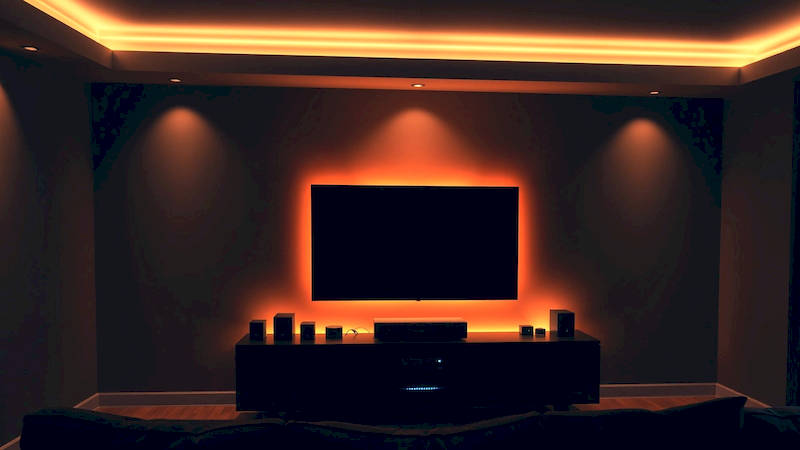
The modern home is becoming increasingly connected, offering a level of convenience and customization previously relegated to science fiction. While the benefits of smart home technology are often touted for daily routines – energy saving, security, and remote control – its potential to elevate social experiences is often overlooked. Imagine walking into a room where the music perfectly complements dynamic lighting, all synchronized to create an atmosphere that instantly sets the mood for a celebration. This isn’t a dream; it’s the reality achievable through carefully orchestrated audio and lighting automation. This article will serve as a comprehensive guide to designing and implementing a “party mode” in your smart home, transforming your space into an immersive entertainment hub.
The desire for effortlessly entertaining spaces is driven by a shifting lifestyle. According to a recent study by Statista, spending on home entertainment is projected to reach $394.90 billion in 2024, demonstrating a clear prioritization of at-home experiences. Automating elements like lighting and audio isn’t just about convenience; it’s about crafting memorable moments and reducing the mental load of hosting. This allows you, the host, to participate in the fun rather than being bogged down by technical adjustments. This deep dive will cover everything from hardware selection and software integration to detailed programming and troubleshooting, ensuring you can throw parties that truly shine.
- Understanding the Core Components of a Smart Party System
- Selecting Compatible Hardware: A Crucial First Step
- Programming Basic Party Scenes: A Step-by-Step Guide
- Advanced Automation: Syncing Audio and Lighting for Immersion
- Troubleshooting Common Issues & Optimizing Performance
- Beyond the Basics: Expanding Your Party Mode Functionality
- Conclusion: Crafting the Perfect Ambiance
Understanding the Core Components of a Smart Party System
Building a robust party mode isn’t just about slapping a smart bulb into a socket. It requires a foundational understanding of the key components that will work together to create the desired effect. These fall primarily into three categories: smart audio, smart lighting, and the underlying control system. Investing in quality components from the start will avoid frustrating compatibility issues and ensure a smoother, more scalable experience in the long run. For audio, consider multi-room systems like Sonos, Bluesound, or Denon HEOS. These allow you to distribute music seamlessly throughout your home, controlling volume and playback from a single app.
Lighting is where things get particularly exciting. Options range from color-changing LED strips and bulbs (Philips Hue, LIFX, Govee) to architectural lighting systems designed for more dramatic effects. The key here is choosing products that integrate well with your chosen control system and offer a wide color gamut and brightness control. Regarding the control system, popular options include Home Assistant, SmartThings, Apple HomeKit, and Hubitat Elevation. Each has its strengths and weaknesses; Home Assistant, for example, is incredibly powerful and customizable but has a steeper learning curve, while Apple HomeKit prioritizes simplicity and security. Ultimately, the best choice depends on your technical expertise and desired level of control.
Selecting Compatible Hardware: A Crucial First Step
Before diving into the software side, careful hardware selection is paramount. Compatibility should be your guiding principle – ensure that all components (speakers, lights, hubs) work seamlessly together. Research specific integrations; not all smart lighting systems, for example, are equally well-supported by all smart home platforms. Pay close attention to communication protocols. Zigbee, Z-Wave, and Wi-Fi are the most common. Zigbee and Z-Wave are mesh networks, offering greater reliability and range than Wi-Fi, but require a dedicated hub. Wi-Fi is more straightforward but can become congested with too many devices.
For lighting, consider the areas you want to impact. LED strips are excellent for accent lighting under cabinets or behind TVs, while smart bulbs can replace existing fixtures. Think about the "ambiance" you want to create. Do you prefer vibrant, dynamic color changes or more subtle, mood-setting hues? When choosing speakers, consider both wired and wireless options. Wired speakers often offer superior sound quality, while wireless speakers provide greater flexibility and ease of installation. Remember to factor in the size of your space and the desired sound coverage when determining the number and placement of speakers.
Programming Basic Party Scenes: A Step-by-Step Guide
Once your hardware is in place, it’s time to bring it to life with some basic programming. Most smart home platforms utilize a “scene” or “routine” concept. A scene is a saved configuration of device states – for example, “Party Mode” might set the lights to a specific color and brightness, and start playing a particular playlist on your speakers. Start with simple scenes and gradually build complexity.
Let’s illustrate with a common platform – SmartThings. Open the SmartThings app, navigate to the “Routines” tab, and click “+ Add Routine.” Choose “Time” or "Device" as a trigger (for now, we'll use "Manual" as a test). In the “Actions” section, select your desired lighting devices and set their color, brightness, and effects. Then, select your audio devices and specify the playlist and volume level. Save the routine and name it “Party Mode.” Testing is crucial! Run the routine and verify that all devices respond as expected. This foundational step will ensure smooth operation and allow for adjustments before you incorporate more advanced features.
Advanced Automation: Syncing Audio and Lighting for Immersion
The real magic happens when you begin to synchronize your audio and lighting. This goes beyond simply playing music and turning on lights; it’s about creating a harmonious relationship between the two. Several services and integrations facilitate audio-visual synchronization. Philips Hue Sync Box, for example, connects to your TV and syncs the lights to the on-screen action, but this concept expands to music playback as well. Platforms like Home Assistant offer advanced integrations that can analyze audio signals and dynamically adjust lighting parameters.
Consider using music visualization software integrated with your smart home platform. These tools analyze the frequency spectrum of the music and translate it into dynamic lighting effects. For instance, bass frequencies might trigger deeper, more intense color changes, while higher frequencies might create subtle, shimmering effects. This creates a visual representation of the music, enhancing the immersive experience. Another technique is to use Scene Adaptive Lighting, adjusting the brightness and color temperature of the lights based on the current music selection. A fast-paced electronic track, for example, might trigger brighter, more saturated colors, while a mellow acoustic song might result in warmer, softer tones.
Troubleshooting Common Issues & Optimizing Performance
Even with careful planning, you may encounter issues. Common problems include connectivity issues, device conflicts, and sluggish response times. The first step in troubleshooting is to isolate the problem. Are all devices affected, or just one? Is the issue intermittent, or consistent? Check your Wi-Fi network for congestion or interference. Restarting your hub and devices can often resolve temporary glitches.
Device conflicts can occur when multiple devices are trying to use the same communication channel. Try re-pairing the affected devices or adjusting their communication settings. Slow response times can be addressed by optimizing your network and reducing the number of devices on a single network. Regularly updating the firmware of your smart home hub and devices is also essential, as updates often include performance improvements and bug fixes. Finally, utilize the forums and communities dedicated to your smart home platform. These are invaluable resources for finding solutions to common problems and learning best practices from other users.
Beyond the Basics: Expanding Your Party Mode Functionality
Once you've mastered the fundamentals, the possibilities are endless. Consider integrating your party mode with other smart home features. Automatically adjust the thermostat to a comfortable temperature when the party starts. Lock and unlock smart doors for guests. Trigger security camera recording for added peace of mind. You could even integrate voice control, allowing guests to request specific songs or lighting effects with simple voice commands.
Furthermore, explore advanced scripting options offered by platforms like Home Assistant to create truly personalized experiences. Create dynamic lighting sequences that change throughout the night, or automate the playback of different playlists based on the time of day. Consider using geofencing to automatically activate the party mode when guests arrive. The key is to think creatively and leverage the full potential of your smart home ecosystem to create a truly unforgettable experience.
Conclusion: Crafting the Perfect Ambiance
Creating a personalized party mode with synced audio and lighting automation is no longer a futuristic fantasy; it’s a readily achievable reality for the modern homeowner. By carefully selecting compatible hardware, mastering basic programming techniques, and exploring advanced synchronization options, you can transform your home into an immersive entertainment hub. Remember to prioritize compatibility, test thoroughly, and troubleshoot methodically.
The key takeaways are these: invest in quality components, understand the strengths and weaknesses of different smart home platforms, and don't be afraid to experiment. Start small, focusing on basic scenes before tackling more complex automation. Most importantly, remember that the goal is to create an atmosphere that enhances your social gatherings and allows you to enjoy time with your guests. Taking the time to invest in this technology will pay dividends in the form of unforgettable parties and a truly connected home experience. Your next gathering is an opportunity to showcase the power and convenience of a truly smart and responsive home environment.
Deja una respuesta