
How to Create Geo-Fencing Alerts with Smart Security Devices
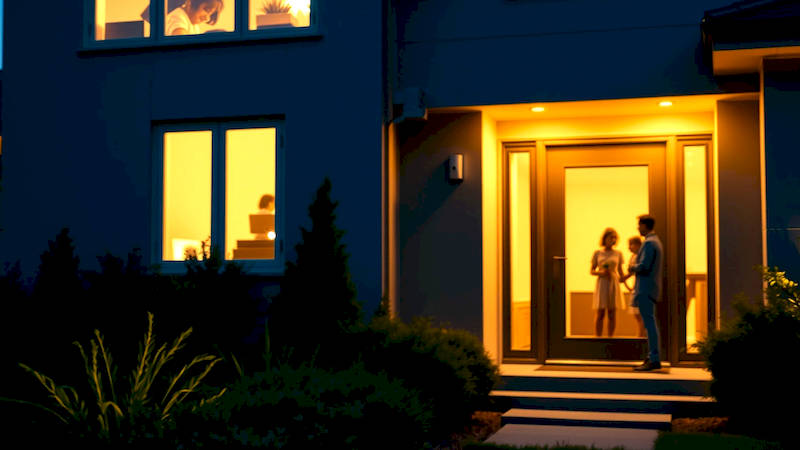
The modern smart home isn’t just about convenience; it's increasingly about proactive security and peace of mind. While cameras and smart locks represent the visible layer of protection, a more subtle yet potent tool is gaining traction: geo-fencing. This location-based technology allows your smart security system to react to your proximity – or lack thereof – triggering alerts and actions based on pre-defined virtual boundaries. This means you can automate responses like arming/disarming your system as you leave or return, receiving notifications if a family member enters or exits a designated area, or even getting alerted if a package is delivered while you're away.
Geo-fencing moves beyond simply reacting to intrusions; it allows for preventative and personalized security. Gone are the days of manually remembering to arm your alarm. Increased concerns around package theft, the wanderings of children or elderly relatives, and even the simple desire for automated home control are driving the adoption of this technology. A recent study by Statista showed a 35% increase in smart home security device usage in the last two years, with geo-fencing being cited as a key desired feature by a significant portion of new adopters.
Effectively implemented geo-fencing can significantly improve your home security posture, offering a level of responsiveness and automation that traditional systems simply can't match. This article dives deep into understanding, setting up, and optimizing geo-fencing alerts with your smart security devices, maximizing their potential for a smarter, safer home.
- Understanding the Core Principles of Geo-Fencing Technology
- Setting Up Geo-Fencing with Popular Smart Security Systems
- Practical Applications: Beyond Basic Arming and Disarming
- Optimizing Geo-Fence Accuracy & Minimizing False Alarms
- Security Considerations and Privacy Concerns
- Troubleshooting Common Geo-Fencing Issues
- Conclusion: A Proactive Approach to Home Security
Understanding the Core Principles of Geo-Fencing Technology
At its heart, geo-fencing relies on a combination of GPS, Wi-Fi, Cellular data, and Bluetooth Low Energy (BLE) technologies to pinpoint the location of designated devices – typically smartphones – and compare them against defined geographical boundaries. When a device crosses into or out of a pre-set “fence,” the system triggers a programmed response. This response can range from sending a simple notification to activating an alarm, locking doors, or even alerting emergency services. It's crucial to understand there are different types of fences, impacting accuracy and battery life. Passive geo-fencing relies primarily on GPS and consumes more battery power, while active geo-fencing leverages Wi-Fi or Bluetooth when available to conserve energy.
The accuracy of geo-fencing is often debated and depends on several factors, including the quality of the GPS signal, the density of Wi-Fi networks in the area, and potential interference from buildings or terrain. Typical accuracy ranges from 5 to 20 meters, meaning the alert isn’t triggered precisely at the boundary but within this radius. This is why many systems allow you to adjust the fence size – a larger fence ensures you don't receive false alarms, but a smaller fence provides more precise location awareness. Furthermore, the technology isn’t foolproof. Device malfunctions, GPS inaccuracies, or changes in network connectivity can lead to inconsistencies in location detection.
Think of it like an invisible perimeter around your property, or perhaps around specific areas within your property (like a pool or backyard). The system doesn't “see” visually, but it’s constantly checking the location of authorized devices against this digital boundary. This continuous monitoring positions geo-fencing as a proactive tool, rather than a reactive one.
Setting Up Geo-Fencing with Popular Smart Security Systems
The setup process for geo-fencing varies depending on the chosen smart security system. However, the general principles remain consistent. Most major players – SimpliSafe, Ring, ADT, Nest, and Abode – offer geo-fencing features integrated into their mobile apps. Generally, you’ll need to download the system’s app, create an account (or log in if you already have one), and navigate to the security settings. Look for options labeled “Geo-Services,” “Location Services,” or “Geo-Fencing.” From there, you’ll be prompted to grant the app permission to access your device’s location.
Once location access is granted, you’ll usually be presented with a map interface allowing you to define the geo-fence. This is typically done by either pinpointing a central location and adjusting the radius of the fence or by drawing a custom polygon around a specific area. You'll likely have the option to define multiple geo-fences; for example, one around your entire property, another around your driveway, and a third around a child's school. Crucially, you need to designate which devices will be tracked – usually family members' smartphones – and associate them with the defined fences. Each device can be assigned different rules and responses depending on its role and needs.
Many systems also allow you to configure "dwell time," meaning the minimum amount of time a device must remain inside or outside the fence to trigger an alert. This prevents false alarms caused by brief, unintentional crossings. For example, setting a five-minute dwell time for leaving the home ensures the system only arms when you've truly departed, and not just when you briefly step outside to get the mail.
Practical Applications: Beyond Basic Arming and Disarming
While automatic arming/disarming based on your arrival and departure is the most common application, geo-fencing offers a wealth of other possibilities. Think about package theft – a significant concern for many homeowners. You can create a geo-fence around your property and receive an immediate notification when a delivery is made, acting as a deterrent and allowing you to retrieve the package quickly. This is particularly useful if you have a designated safe spot for deliveries, like a side door or a garage.
For families with children or elderly family members, geo-fencing provides an added layer of safety. You can create fences around important locations – schools, workplaces, or even a neighbor’s house – and receive alerts when those individuals arrive or depart. This capability is especially valuable for individuals with cognitive impairments who may wander. Another application lies in pet safety - create a fence around your yard and be alerted if your pet manages to escape.
Consider also the possibility of integrating geo-fencing with smart lighting or smart appliance control. For example, as you approach your home, the system could automatically turn on the porch light and adjust the thermostat to your preferred temperature. Similarly, if you leave home and forget to turn off the coffee maker, a geo-fence trigger can remotely shut it off, preventing a potential hazard.
Optimizing Geo-Fence Accuracy & Minimizing False Alarms
Optimizing the accuracy of your geo-fencing system is paramount to avoiding "alert fatigue" - the tendency to ignore notifications due to frequent false positives. Start by experimenting with the fence size. A larger fence is more forgiving, reducing the chance of triggering alerts due to minor location inaccuracies, but it also diminishes precision. Finding the sweet spot requires some testing within your specific environment.
Regularly check your device’s location settings and ensure the app has the necessary permissions to access accurate location data. Also, be mindful of battery optimization settings on your smartphone. Aggressive battery-saving modes can sometimes restrict background location access, impacting geo-fencing accuracy. Ensure the app is exempt from these restrictions. Many systems offer “location history” features, enabling you to review past fence crossings - these can give you key insights on areas where false triggers are occurring.
Finally, leverage the “dwell time” feature effectively. Adjusting this setting based on your routines and environment can dramatically reduce the frequency of unnecessary alerts. For instance, if you routinely stop at a coffee shop on your way home, a longer dwell time outside your home fence will prevent a notification from being triggered during your temporary stop.
Security Considerations and Privacy Concerns
While geo-fencing offers significant benefits, it’s important to acknowledge the potential security and privacy concerns. Sharing your location data, even with a trusted security provider, inherently involves a degree of risk. Ensure you choose a provider with a robust security infrastructure and a clear privacy policy that outlines how your data is collected, stored, and used. Understand the system’s data encryption protocols and whether your data is shared with third parties.
It’s also crucial to be mindful of who has access to your geo-fencing settings. Limit access to authorized family members and avoid sharing login credentials with untrusted individuals. Consider enabling two-factor authentication for added security. The potential for "geo-spoofing" – artificially altering your device's location – is another concern, although modern systems are implementing countermeasures to detect and prevent these attacks.
Furthermore, be aware of the potential for location tracking to be exploited for unwanted surveillance. Regularly review your device’s app permissions and revoke access for any apps that don't require location data.
Troubleshooting Common Geo-Fencing Issues
Even with careful setup and optimization, geo-fencing systems can occasionally experience glitches. One common issue is delayed or missed alerts. This can be caused by poor GPS signal, network connectivity problems, or app malfunctions. First, check your device’s network connection and ensure the app has the latest updates. If the issue persists, try restarting both your device and the smart security system’s base station.
False alarms are another frequent complaint. Double-check your fence size, dwell time settings, and location accuracy. If you suspect a malfunctioning GPS sensor, try recalibrating your device’s location services. If the app is consistently misreporting your location, consider uninstalling and reinstalling it. Another potential cause is interference from metal objects or dense foliage – try adjusting the fence location to avoid these obstructions.
Ultimately, if you’re unable to resolve the issue yourself, don’t hesitate to contact the smart security provider’s customer support for assistance.
Conclusion: A Proactive Approach to Home Security
Geo-fencing represents a significant leap forward in smart home security, empowering homeowners with a proactive and automated approach to protecting their properties and loved ones. By harnessing the power of location-based technology, you can create a security system that adapts to your lifestyle and responds intelligently to your presence. Setting up geo-fencing is generally straightforward, but optimizing the system for accuracy and minimizing false alarms requires thoughtful configuration and ongoing monitoring.
The key takeaways are clear: prioritize choosing a reputable security provider with strong privacy protections, carefully define your geo-fences based on your specific needs, leverage features like dwell time to refine alert sensitivity, and regularly review your settings to ensure optimal performance. As smart home technology continues to evolve, geo-fencing is poised to become an even more integral component of a comprehensive home security strategy, offering peace of mind and enhanced protection in an increasingly connected world. The next step is to evaluate your current security setup and explore how geo-fencing can be integrated to create a smarter, safer, and more responsive home.
Deja una respuesta