
How to Install a Smart Thermostat for Maximum Energy Efficiency
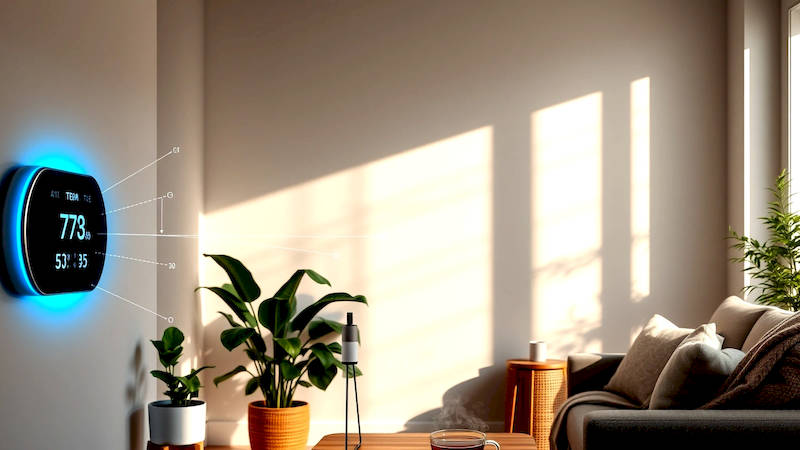
The quest for a smarter, more sustainable home is rapidly gaining momentum, and at the heart of this movement lies the smart thermostat. Beyond simply adjusting the temperature, these devices offer a powerful suite of features designed to optimize energy consumption, reduce utility bills, and enhance home comfort. While the idea of a connected climate control system might seem daunting, installing a smart thermostat is a remarkably accessible DIY project for many homeowners. This article will provide a comprehensive guide to smart thermostat installation, focusing on maximizing energy efficiency and getting the most out of your investment. We will delve into the process step-by-step, covering everything from pre-installation checks to post-installation configuration, ensuring you can reap the rewards of a smarter, more energy-conscious home. Currently, the average US household spends approximately $2,060 on utility bills each year, with heating and cooling accounting for nearly half of that cost. A smart thermostat, used effectively, can yield savings of up to 10-12% on heating bills and 15% on cooling bills, representing significant financial and environmental benefits.
- Preparing for Installation: Compatibility and Tools
- Removing Your Old Thermostat: A Step-by-Step Guide
- Installing the Smart Thermostat Baseplate and Wiring
- Configuring the Smart Thermostat: Connection and App Setup
- Optimizing for Energy Efficiency: Schedules and Features
- Troubleshooting Common Issues and Maintenance
- Conclusion: A Smarter, More Efficient Future
Preparing for Installation: Compatibility and Tools
Before you even think about disconnecting wires, thorough preparation is crucial. The first step is verifying compatibility. Not all smart thermostats work with all HVAC systems. Most are compatible with standard 24V heating and cooling systems, encompassing the vast majority of homes. However, systems with high-voltage wiring (like some baseboard heaters) or proprietary communication protocols require specific thermostats or professional installation. Check the manufacturer’s compatibility checker online - Nest, Ecobee, Honeywell all provide excellent tools on their websites. This will ask about your current system's wiring configuration and HVAC type. Ignoring compatibility can lead to a malfunctioning thermostat or, even worse, damage to your HVAC system.
Beyond compatibility, gather the necessary tools. You'll need a Phillips-head and flathead screwdriver, a wire stripper/cutter, a small level, a pencil, masking tape, and a smartphone or tablet for the setup process. A digital multimeter can be incredibly helpful for testing voltage and confirming compatibility, especially if you're unsure about your existing wiring. It's also wise to take a picture of your existing thermostat wiring before disconnecting anything. This provides a vital reference point if you encounter any confusion during the installation process. “A picture is worth a thousand words,” as the old saying goes - and in this case, it might save you a significant amount of troubleshooting time.
Finally, safety first! Turn off the power to your HVAC system at the breaker box before you attempt any wiring work. This is non-negotiable. Working with electrical wiring carries inherent risks, and disconnecting the power is the single most important safety precaution. Double-check with a non-contact voltage tester to confirm that the power is indeed off before proceeding.
Removing Your Old Thermostat: A Step-by-Step Guide
With the power safely disconnected, you can now begin removing your old thermostat. Gently remove the thermostat cover, often by prying it off from the bottom. This will expose the wiring connections. As previously mentioned, carefully document the existing wiring configuration with a photograph. Each wire is connected to a specific terminal, identified by a letter – typically, R, W, Y, G, C, and sometimes others. Understanding these letters is critical for successful installation. ‘R’ generally represents the 24V power, ‘W’ is for heating, ‘Y’ for cooling, ‘G’ for the fan, and ‘C’ is the common wire – a crucial component for many smart thermostats.
Next, carefully disconnect each wire, labeling it with masking tape corresponding to the terminal it was connected to. This prevents confusion when connecting the wires to the new thermostat. Use the wire strippers to ensure the ends of the wires are clean and expose a sufficient length of bare wire for secure connection. Keep the screws from your old thermostat – they may be needed for mounting the new device. Once all wires are disconnected, remove the old thermostat baseplate from the wall. You may encounter drywall anchors or screws securing it; remove these carefully.
If you discover you don't have a ‘C’ wire, don’t panic, but recognize it as a potential obstacle. Many smart thermostats require a ‘C’ wire for consistent power. Some thermostats include a "power extender kit" (Pek) that bypasses the need for a ‘C’ wire, but compatibility varies. Alternatively, you might need to run a new ‘C’ wire from your HVAC system if a Pek isn’t compatible or won’t provide sufficient power.
Installing the Smart Thermostat Baseplate and Wiring
Now for the core of the installation – mounting the smart thermostat baseplate and connecting the wires. Position the baseplate on the wall, using a level to ensure it's straight. Mark the screw holes with a pencil. If necessary, use drywall anchors to provide a secure mounting point. Attach the baseplate to the wall using the appropriate screws.
This is where your earlier wiring documentation and labeling come into play. Carefully connect each wire to the corresponding terminal on the smart thermostat baseplate, using the labels you applied earlier. Secure the wires firmly to the terminals. Double-check your connections against the smart thermostat’s installation guide and your original wiring photo. Incorrect wiring can damage the thermostat or your HVAC system. As a general rule of thumb, most smart thermostats have a wiring guide printed directly on the baseplate making this step somewhat easier.
If you're unsure about any connection or encounter a wire that doesn't seem to fit, stop. Consult the thermostat's documentation or contact a qualified HVAC technician for assistance. It's far better to be safe than sorry and potentially damage your system. “Don’t guess,” emphasizes seasoned HVAC technician Mark Reynolds, “If you are not 100% confident, call a professional. Incorrect wiring can be costly.”
Configuring the Smart Thermostat: Connection and App Setup
With the baseplate and wiring in place, carefully attach the thermostat display to the baseplate. This usually involves a click-and-snap mechanism. Restore power to your HVAC system at the breaker box. The smart thermostat should power on. Most thermostats will then guide you through a setup process on the device itself and, more importantly, through a companion mobile app.
Download the thermostat's app to your smartphone or tablet and follow the on-screen instructions. You’ll typically need to connect the thermostat to your Wi-Fi network. This is essential for remote control, software updates, and accessing advanced features. The app will also ask about your HVAC system type and home insulation characteristics – providing this information helps the thermostat optimize its performance for your specific needs.
During the setup process, pay attention to features like geofencing (which adjusts the temperature based on your location), learning algorithms (which adapt to your preferences over time), and energy reports (which provide insights into your energy consumption). Explore these features and customize them to maximize energy savings and comfort.
Optimizing for Energy Efficiency: Schedules and Features
Installation is just the first step. To truly unlock the energy-saving potential of your smart thermostat, you need to optimize its settings. One of the most effective strategies is creating a customized heating and cooling schedule. Program different temperatures for different times of the day, based on your occupancy patterns. For instance, lower the temperature while you're at work or asleep, and increase it during peak usage times.
Leverage geofencing to automatically adjust the temperature when you leave or approach your home. This ensures you're not heating or cooling an empty house. Explore features like "early start" or "smart recovery," which learn how long it takes to heat or cool your home and proactively adjust the temperature to reach your desired comfort level at the scheduled time. These may seem minor, but can lead to significant energy savings over time.
Regularly review the energy reports provided by the thermostat's app to identify areas for improvement. Experiment with different settings and schedules to find the optimal balance between comfort and energy efficiency. Consider participating in your utility company's demand response programs, which offer incentives for reducing energy consumption during peak demand periods.
Troubleshooting Common Issues and Maintenance
Even with careful installation, you may encounter issues. Common problems include the thermostat not connecting to Wi-Fi, inaccurate temperature readings, or the HVAC system not responding correctly. First, troubleshoot the Wi-Fi connection: ensure your router is functioning properly, the thermostat is within range, and you've entered the correct password. For inaccurate temperature readings, check for drafts or direct sunlight affecting the thermostat’s sensor. Relocating the thermostat or shielding it from external influences may resolve the issue.
If the HVAC system isn’t responding, double-check your wiring connections against the installation guide. If these steps don't resolve the problem, consult the thermostat's documentation or contact the manufacturer’s support team. Regular maintenance includes cleaning the thermostat’s display and periodically checking the battery (if applicable). Keep the air vents around the thermostat clear of obstructions to ensure accurate temperature readings.
Conclusion: A Smarter, More Efficient Future
Installing a smart thermostat is a worthwhile investment for anyone seeking to reduce energy consumption, lower utility bills, and improve home comfort. By following the steps outlined in this guide – from pre-installation compatibility checks to post-installation optimization – you can confidently install and configure a smart thermostat to maximize its energy-saving potential. Remember to prioritize safety, double-check your wiring, and leverage the advanced features offered by your chosen thermostat. The key takeaways are: meticulous preparation is paramount, accurate wiring is essential, and ongoing optimization unlocks the full benefits of a smart climate control system. Beyond the financial savings, embracing smart home technology like this contributes to a more sustainable lifestyle, reducing your carbon footprint and promoting a healthier planet. Don’t hesitate to consult with a qualified HVAC technician if you encounter any difficulties; a professional can ensure a safe and efficient installation, tailored to your specific home and system.
Deja una respuesta